

What Radar Shows
Capacity view: When Radar discovers Karpenter NodePools (and the current identity can list them), a cluster-wide Capacity view appears in navigation - a read-only diagnosis surface across four screens:- Overview - fleet KPIs with claim lifecycle detail, a cluster scheduling-capacity bar (scheduled requests vs allocatable, in-flight claim capacity beyond the allocatable edge, pending demand as a not-to-scale count), prioritized operational signals, and the NodePool inventory
- NodePool detail - the capacity ledger (configured limit, provisioned, headroom, allocatable, scheduled requests, unallocated, actual usage) plus claim lifecycle, fleet composition, and workload attribution
- Demand - pending pods grouped by scheduling signature, each group evaluated against every NodePool’s declared constraints with per-predicate evidence
- Activity - provisioning, disruption, interruption, and termination episodes classified from Karpenter’s exact event vocabulary
= ≥ ≤ ?): unavailable is never rendered as zero, partial is never rendered as exact, and scheduling capacity is kept structurally distinct from actual usage - Karpenter schedules on pod requests, so usage is an efficiency signal, never scheduler headroom. Issues, Pending-pod drawers, and the Home posture card deep-link into the right diagnosis. Full reference: Capacity documentation.
Node removal: Nodes marked for removal show an operational lifecycle status while keeping readiness and independent failures visible. The drawer shows current pods and a read-only drain/PDB estimate. See Node status and removal for the shared UI/API/MCP contract.
Topology: Full provisioning chain - NodePool → NodeClaim → Node → Pod. See which NodePool owns which NodeClaims, which Nodes they provisioned, and what Pods are running on them. NodePool → NodeClass edges show the provider-specific configuration each pool uses.
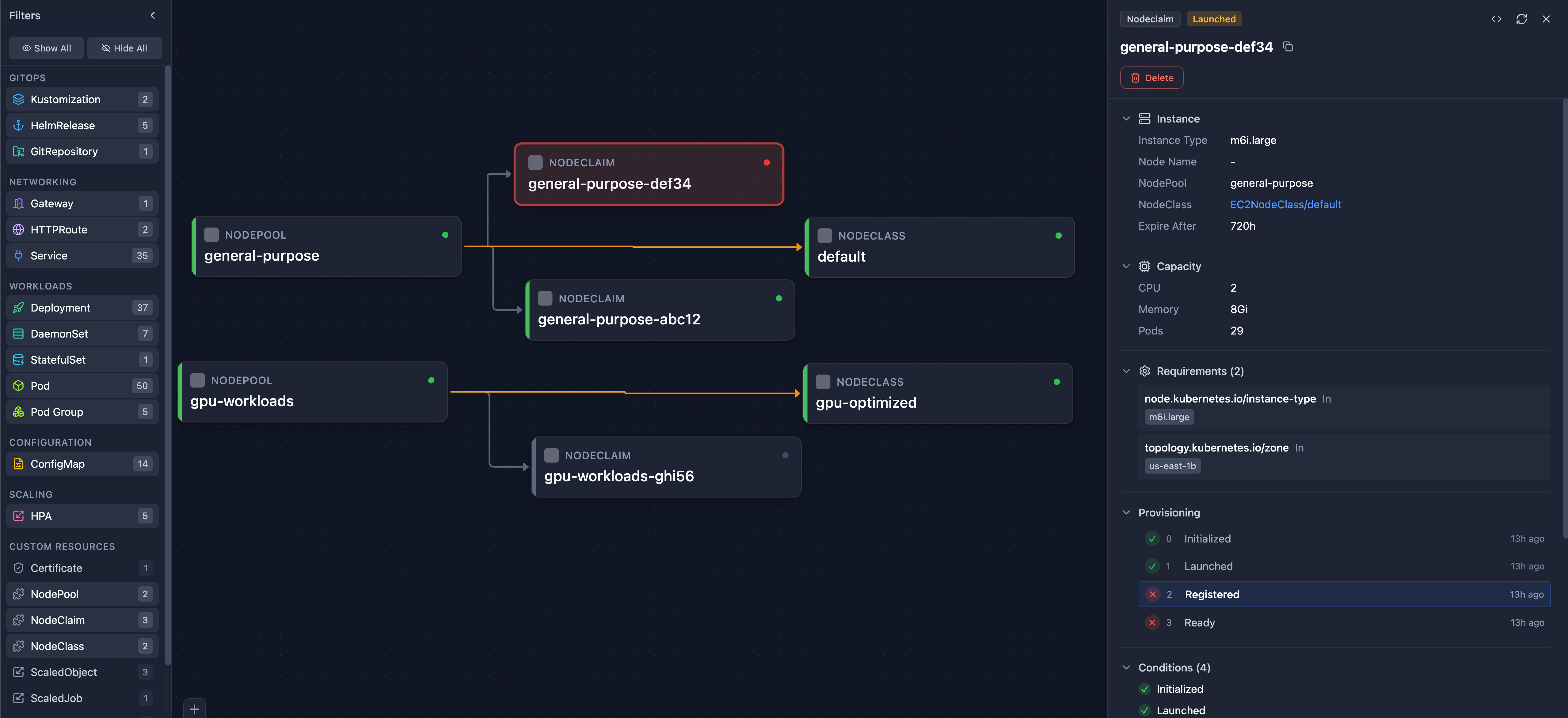
Karpenter in Topology View - NodePool → NodeClaim provisioning chain
- Status conditions (Ready)
- Clickable NodeClass reference (EC2NodeClass, AKSNodeClass, or generic)
- Resource limits (CPU, memory)
- Disruption policy and consolidation settings
- Disruption budget reasons, termination grace period, and requirement
minValues - Instance requirements (types, zones, architectures)
- Template labels applied to provisioned nodes
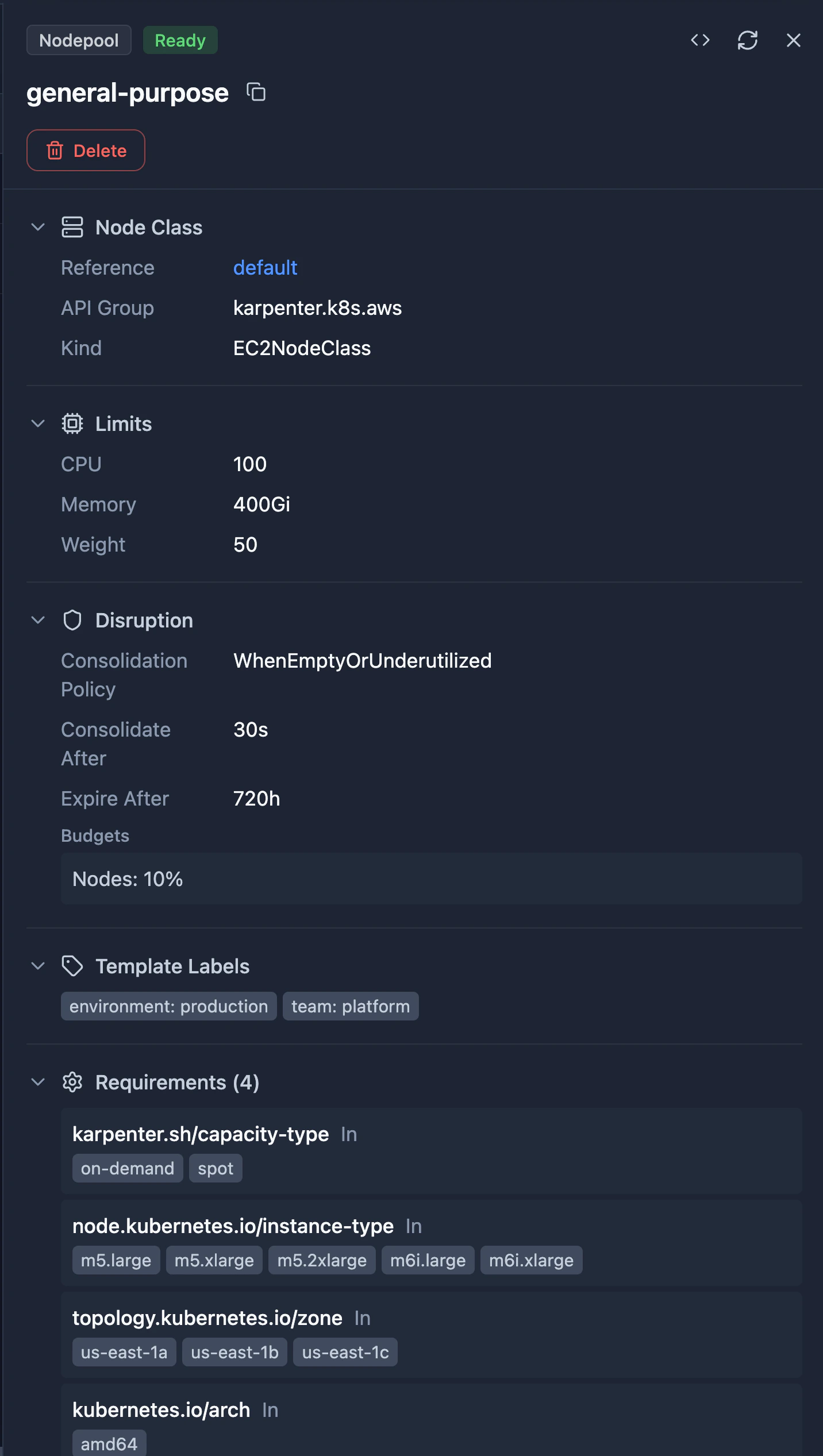
NodePool Detail View - Status, related NodeClaims, and full specification
- Provisioning timeline with timestamps
- Status conditions (Initialized, Launched, Registered, Ready)
- Instance type, capacity, and zone
- Requirements (instance types, architectures, OS)
- Clickable Node and NodeClass references
- AMI selector terms and aliases
- Block device mappings (volume type, size, encryption)
- IAM role configuration
- Subnet and security group discovery tags
- Instance metadata options (IMDS configuration)

NodePool Resource Browser - Status, NodeClass, limits, and disruption policy at a glance
Supported CRDs
All provider-specific NodeClass variants are automatically detected and supported.