

Why was this flow dropped?
With Hubble as the traffic source, expand a dropped flow in the Traffic view to see the reason the network plugin reported. For policy drops, Radar also shows the deny policy the plugin named, if any, and checks the current Kubernetes NetworkPolicies against that connection. The panel answers in that order: what the plugin recorded, what current policies say, and what Radar could not check. Radar reads policies as they are now and says so. The plugin’s deny attribution and Radar’s current-policy check are separate things, and the panel keeps them apart. When missing information - the pod is gone, the flow record has no direction, you cannot read the peer’s namespace - keeps Radar from completing the check, the panel explains why instead of guessing. Applicable Cilium policies are listed, but their rules are not evaluated. The common case is a default-deny policy with nothing that allows the client. Cilium reports the drop as a policy drop but names no policy, because no rule matched. Radar’s own check names the policy that isolates the pod and explains what it does.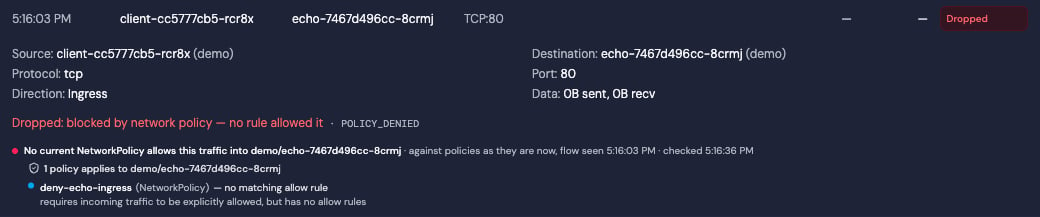
Hubble reports POLICY_DENIED without naming a policy. The current check lists deny-echo-ingress and explains that it has no allow rules
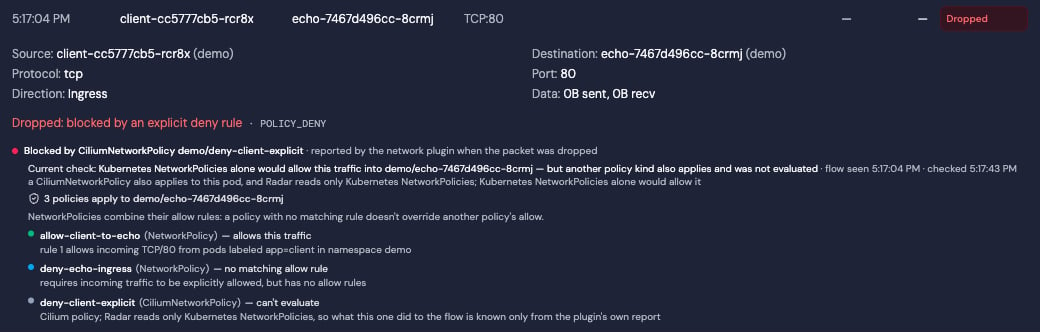
Hubble names a Cilium deny policy as the reason for the drop. The current Kubernetes NetworkPolicy check appears below it
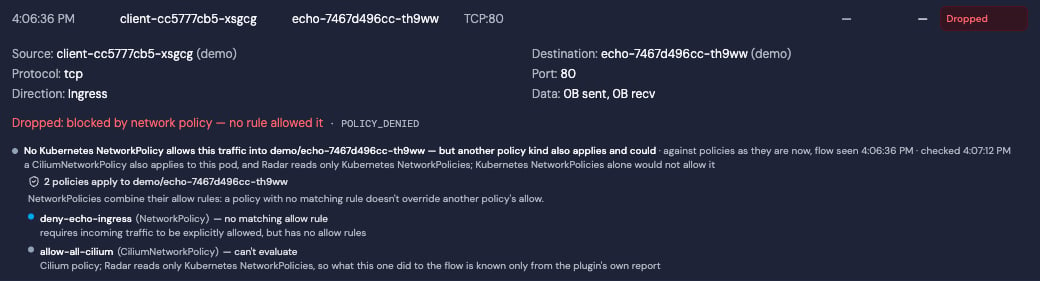
A Cilium policy also applies. Radar shows the Kubernetes-only result and cannot determine the combined result
rbac.crdGroups.cilium so Radar can identify the Cilium policies that apply; it still does not evaluate their rules.
What Radar Shows
Topology: Kubernetes, Cilium, and Calico policy nodes appear in the topology graph with edges connecting them to the Deployments, StatefulSets, and DaemonSets they protect. Calico matching evaluates workload, namespace, and service-account selectors. Staged Calico policies use dashed edges and preview styling so they are not mistaken for enforced protection; a staged policy whosestagedAction is Delete or Ignore draws no edge at all, because promoting it would remove protection rather than add it.
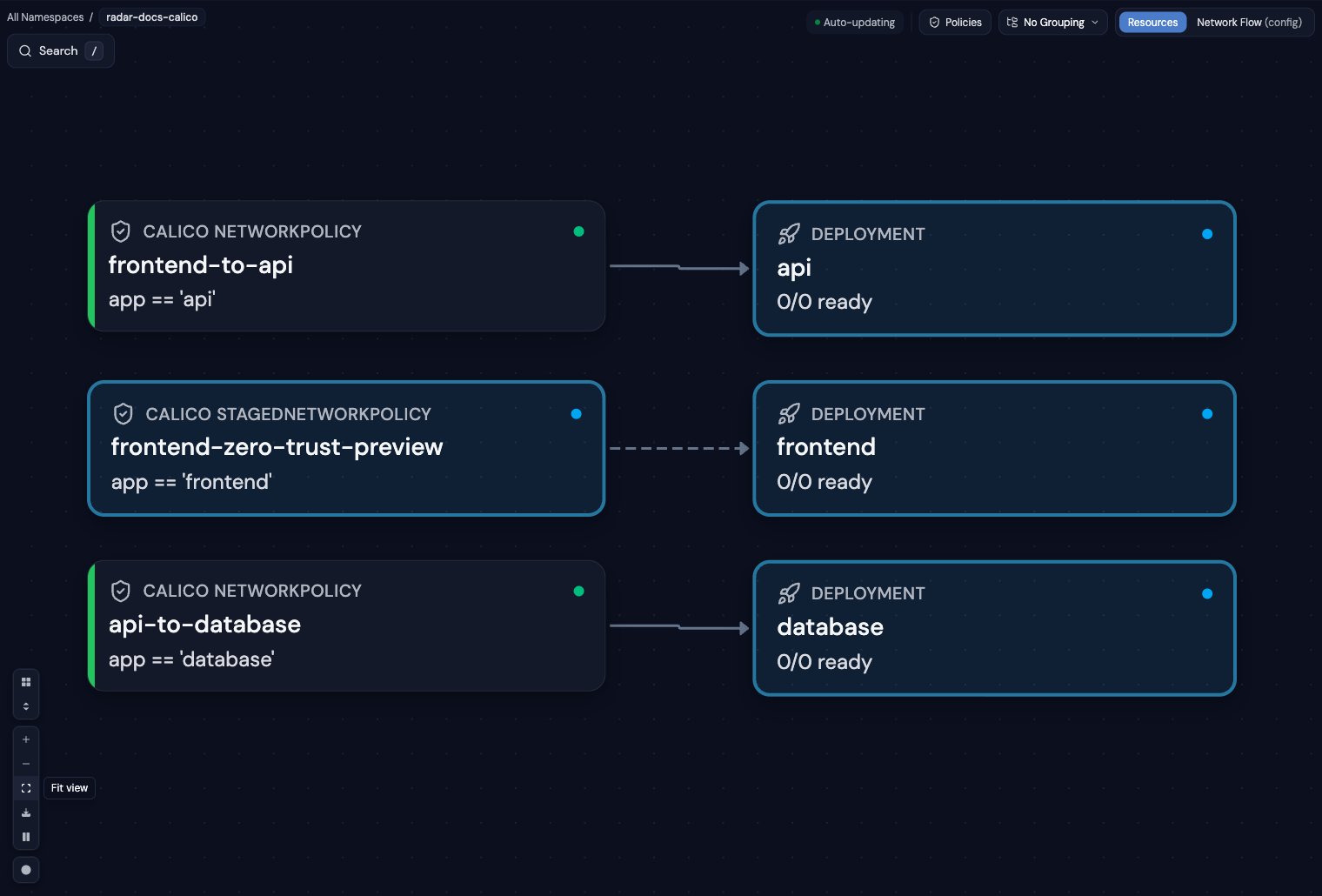
Calico policy topology - enforced relationships use solid edges; staged previews use dashed edges
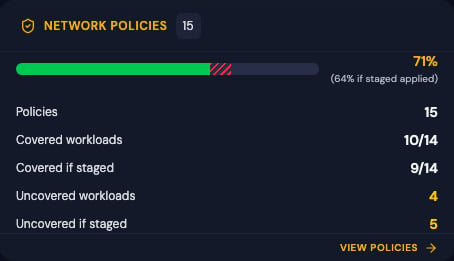
Dashboard coverage separates enforced protection from the projected result of applying staged policies
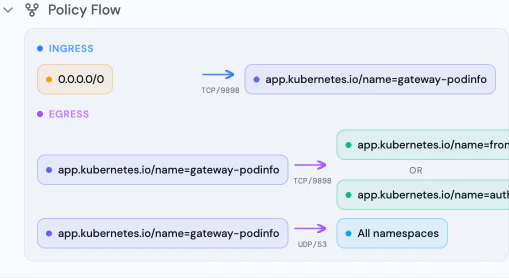
Policy Flow Diagram - visual representation of ingress and egress rules
- Pod selector and namespace selector rules, shown the way Kubernetes applies them: a peer with both selectors is one condition (pods matching X in namespaces matching Y), not two
- Ingress and egress rules with CIDR blocks, ports, port ranges, and protocols
- Policy types as the API server applies them: a policy with no
policyTypesisolates ingress, and egress only when it has egress rules - Related resources showing protected workloads
- Endpoint selector targeting
- Ingress/egress rules with allow and deny semantics
- Cilium-specific entity selectors (world, cluster, host)
- CIDR rules, port/protocol specifications
- Related workloads with clickable links
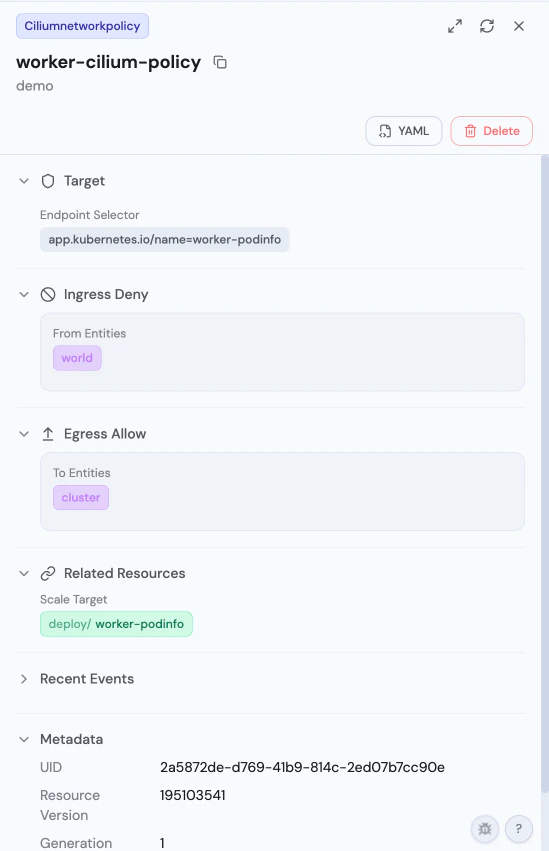
CiliumNetworkPolicy Detail - endpoint selector, ingress deny from world, egress allow to cluster
- Flow diagram for ordered ingress and egress rules, including Allow, Deny, Log, and Pass actions
- Workload, namespace, and service-account selectors
- Tier, order, policy types, pre-DNAT, apply-on-forward, and do-not-track settings
- Calico entities, CIDRs, ports, protocols, HTTP matches, and ICMP matches
- Staged action and preview styling for staged policy variants
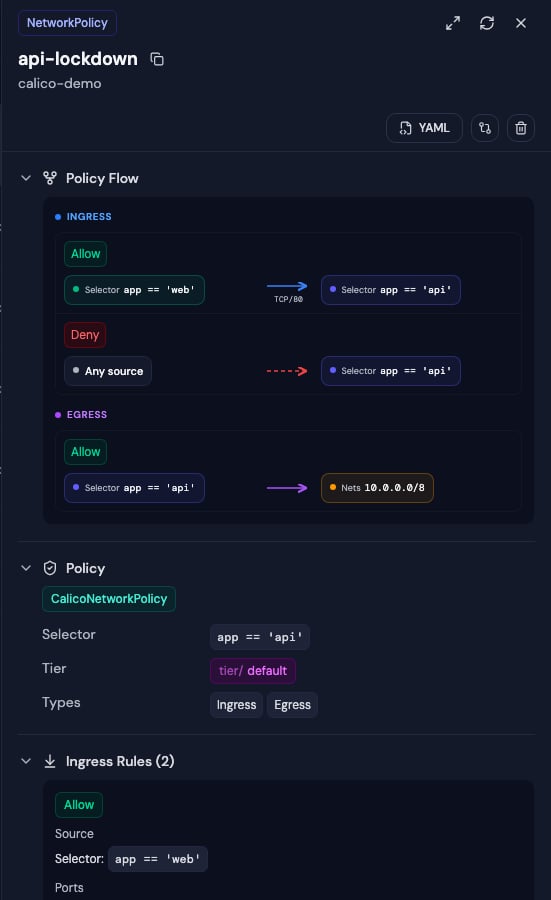
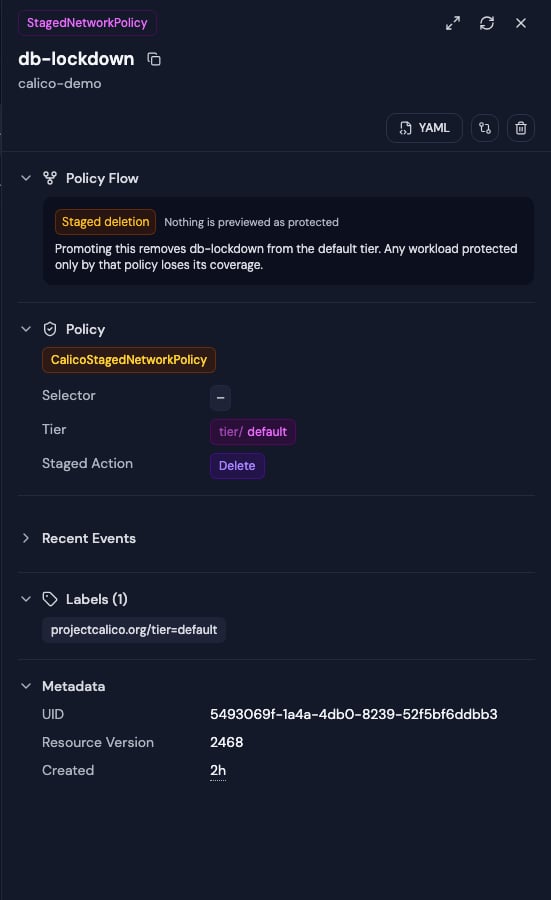
Enforced and staged policy flows - staged rules are explicitly marked as evaluated but not enforced
projectcalico.org and crd.projectcalico.org. A cluster
running the Calico API server serves the same stored policies under both, so each
policy appears once, identified by kind, namespace and name. The API group stays
part of resource navigation and authorization - it is what keeps Calico
NetworkPolicy distinct from Kubernetes networking.k8s.io NetworkPolicy - and
a policy is shown to anyone authorized to list it under either group, since
either grant is enough to read it.