

docker pull, no DinD, no local cache. Radar talks the OCI distribution spec directly to the registry, using whichever pull credentials the workload itself uses.
When you’d reach for it
- “Did our build actually include this binary?”
- “Which version of OpenSSL is in this base image?”
- “What’s in
/etc/ld.so.conf.d/for this distro?” - “Is the JVM truststore baked in or expected to be mounted?”
- “Why is this image 1.2 GB?”
How to open it
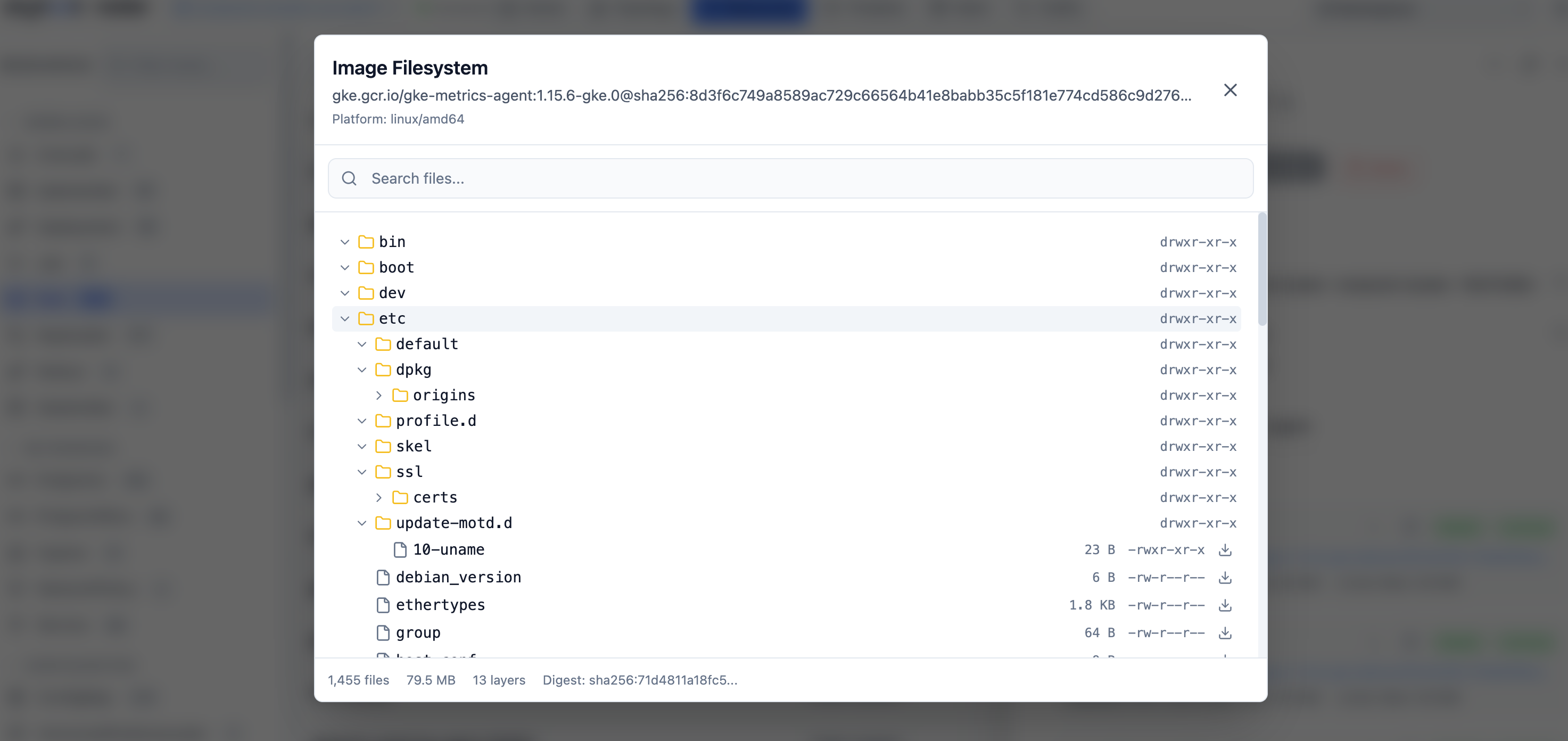
Anywhere an image appears (Pod, Deployment, ReplicaSet, Job, CronJob, container row), click the image reference. The viewer opens in a side panel. You can also open it directly via search: type the image reference into the global search bar.What’s in there
- Layer picker - pick a layer to scope the file tree, or “All layers” to see the merged final filesystem.
- File tree - browse top-down. Click a file to open it.
- Search - find files by name across the whole image.
- Inline view - text files render as text; binaries get hex; symlinks resolve to their target.
- Download - any file can be downloaded individually.
- Image metadata - manifest digest, config blob, exposed ports, env, entrypoint, cmd, working dir, OCI labels.
- Layer details - per-layer size, instructions (when the image still carries history), and “what this layer added / changed.”
Auth & networking
Radar uses the same pull credentials the workload uses to read the image - if your cluster can pull it, Radar can read it. There’s no separate registry config:- Public registries (Docker Hub, GHCR, gcr.io, registry.k8s.io) work with no setup.
- Private registries pull through the workload’s
imagePullSecrets. - Cloud-provider registries (ECR, GCR, ACR) use the node’s instance credentials when configured for keychain auth.
Performance
Layers are streamed and cached for the lifetime of the Radar process. Opening the same image twice is instant the second time. Large layers (multi-GB ML containers, etc.) are seekable - you don’t wait for a full decompress before browsing.Limits
- No write. This is a read-only viewer; you can’t push back to the registry.
- No exec. Use pod exec if you need a shell instead of a file viewer.
- Compressed-only deltas. Layer-level diffs work on what the registry stores; if a layer rewrites a whole large file, that whole file appears as “changed”.
See also
- Resource browser - every image reference is clickable.
- Cluster audit - “image is
latest”, “image not pinned to digest”, and friends.