

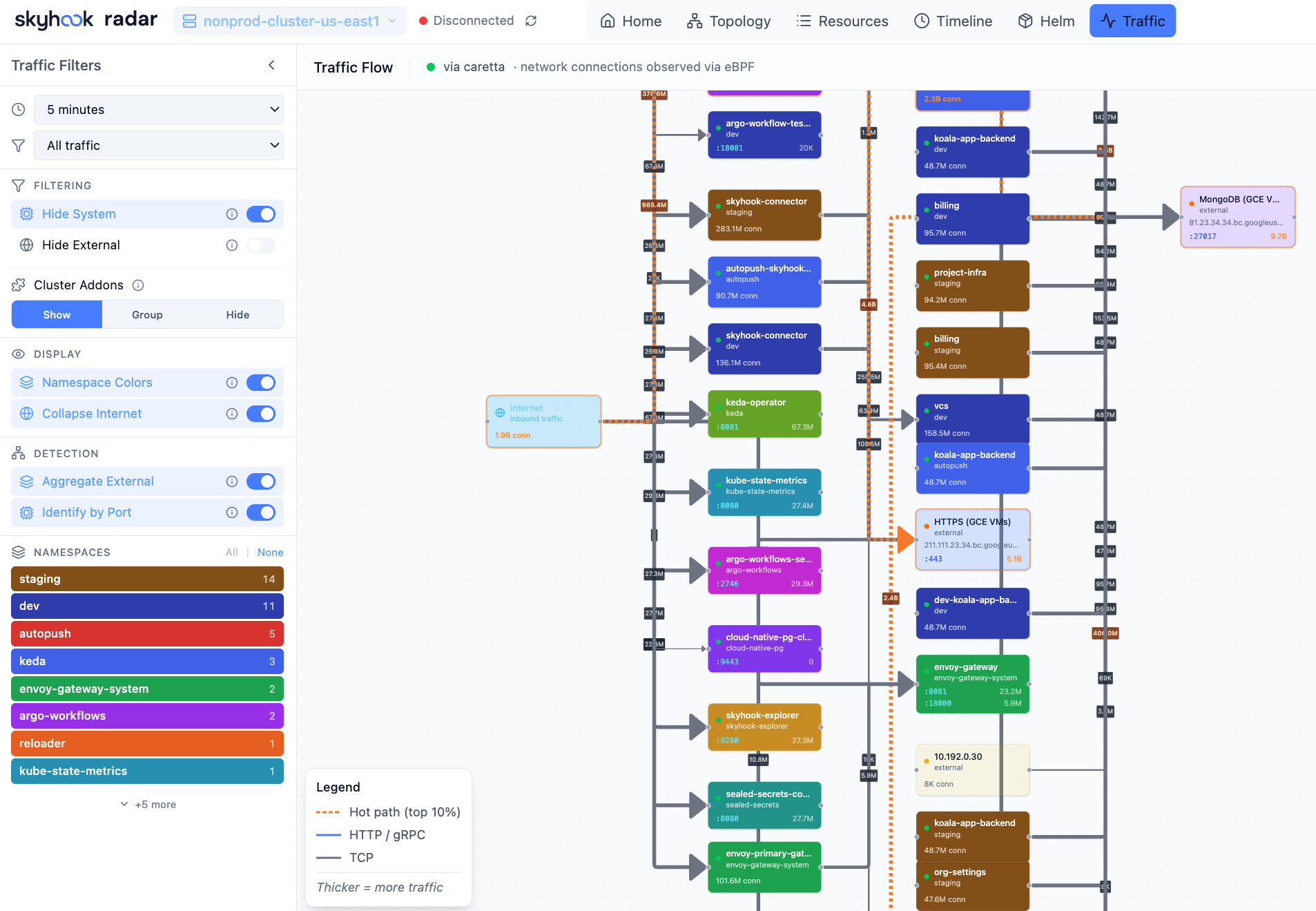
Source priority
At startup Radar probes for traffic sources in this order:- Hubble (Cilium). Detected via
hubble-relayService inkube-systemor any namespace tagged with the standard Cilium labels. - Caretta. Detected via the Caretta operator and its CRDs.
- Istio. Detected via the Istio control plane and the standard mesh sidecars.
- None. Traffic mode is hidden until a source is available.
POST /api/traffic/source.
What you see
- Edge thickness - relative throughput in the selected window.
- Edge color - HTTP status class (2xx / 3xx / 4xx / 5xx) when the source provides it; otherwise neutral.
- Edge label - rps / latency / error rate (chosen from the legend).
- Hover - per-edge breakdown (top status codes, p50 / p95 / p99 latency, top callers).
Time window
Top-right picker: live (rolling 30s), 1m, 5m, 15m, 1h. Anything beyond that pulls from Prometheus (or VictoriaMetrics) if Radar can find one - either auto-discovered or set via--prometheus-url / traffic.prometheusUrl.
What happens when nothing’s installed
Traffic mode is hidden from the toggle. You still get the full structural topology and resource browser. To turn it on, install one of:- Cilium with Hubble - the most common deployment.
- Caretta - eBPF, no CNI dependency.
- Istio - service mesh.
RBAC for Hubble TLS
If your Hubble Relay uses TLS (the default in modern Cilium), Radar needs to read the relay’s TLS certs. The Helm chart enables this by default withrbac.traffic: true. Set it to false to disable Hubble support entirely.
Privacy
Traffic mode shows aggregates - rps, latency, status. It doesn’t capture or display request bodies, headers, or paths. Hubble can be configured for L7 visibility (Cilium HTTP-aware policies); when that’s available, Radar surfaces the L7 method / route on edges, otherwise just L4.See also
- Topology view - the structural graph the traffic overlay sits on.
- Configuration files -
prometheusUrlfor out-of-cluster metrics. - Integrations & CRDs - which mesh / CNI integrations are recognized.