

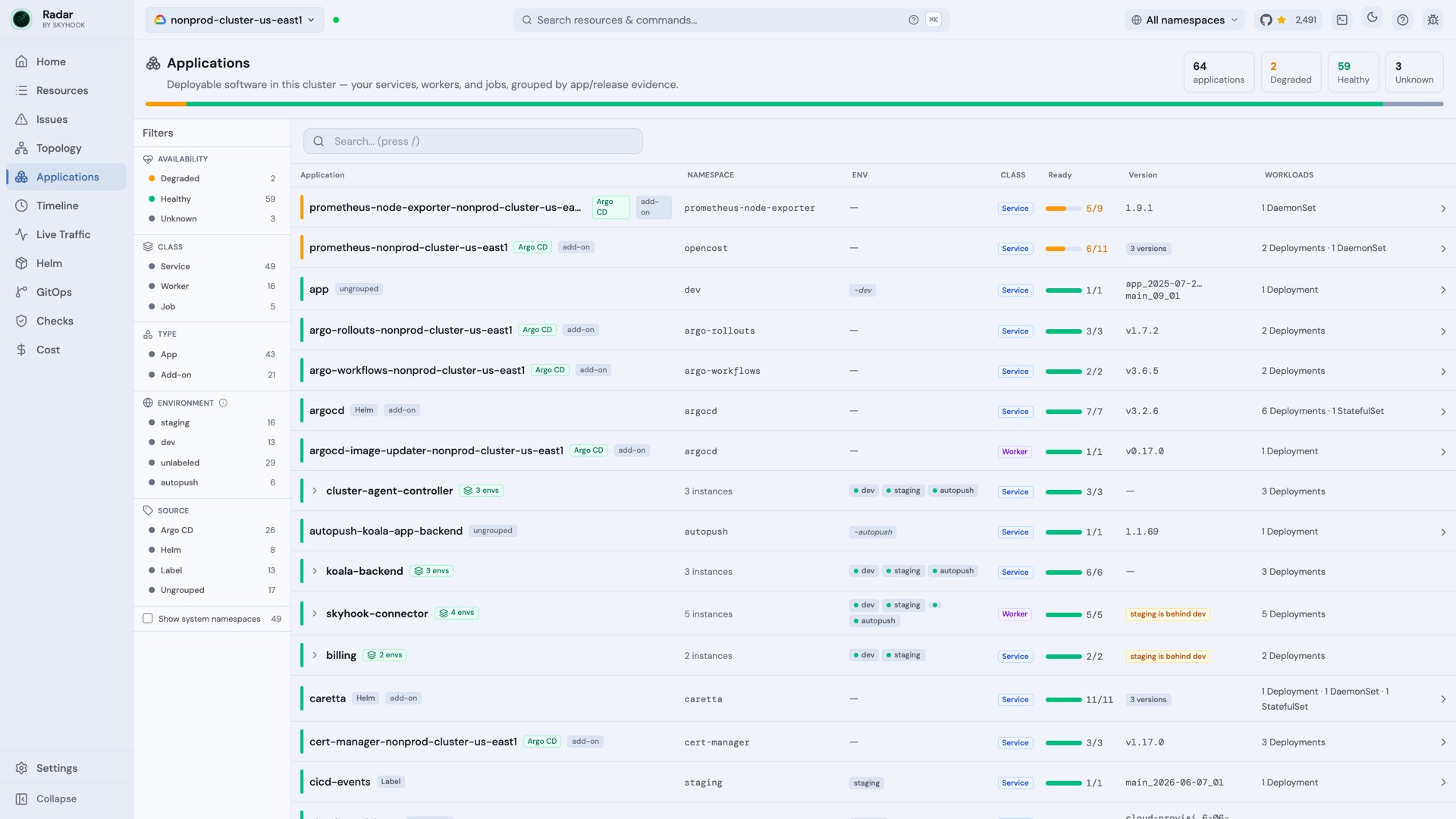
App kind. What you call “the billing app” is scattered across Deployments, a worker, a CronJob, a Service, maybe an Ingress, possibly across namespaces. The Applications view (/applications, or g a) reconstructs that: it groups a cluster’s workloads into the app they belong to, so you browse by application instead of by raw kind.
How apps are resolved
Radar resolves app membership from real evidence rather than forcing you to label everything. Each app row carries a Source facet so you can filter by where the grouping came from:- Argo CD / Flux - the GitOps Application, ApplicationSet, or Flux source that manages the workloads.
- Helm - the release the workloads belong to.
- Label - common app labels (
app.kubernetes.io/name,app.kubernetes.io/instance,app.kubernetes.io/part-of,app). - Ungrouped - workloads Radar couldn’t confidently attribute.
When inference isn’t enough
Grouping is heuristic by nature, and heuristics occasionally guess wrong. When they do, you don’t fight the inference - you declare the answer. Set theapp.skyhook.io/app annotation on the workloads that make up the app, using the same value on each, and Radar groups by that explicit identity:
Per-app detail
Open an app and you get an application shell - identity, a context strip, and a workload rail listing the app’s members - wrapped around the same runtime tabs you get on any resource: Overview, Topology, Timeline, Logs, Metrics, YAML. The topology is scoped to the app, so you see how its workloads wire together without the rest of the cluster’s noise. Hovering a workload highlights it and its resources across the graph while the rest dim; related resources open in place in a drawer.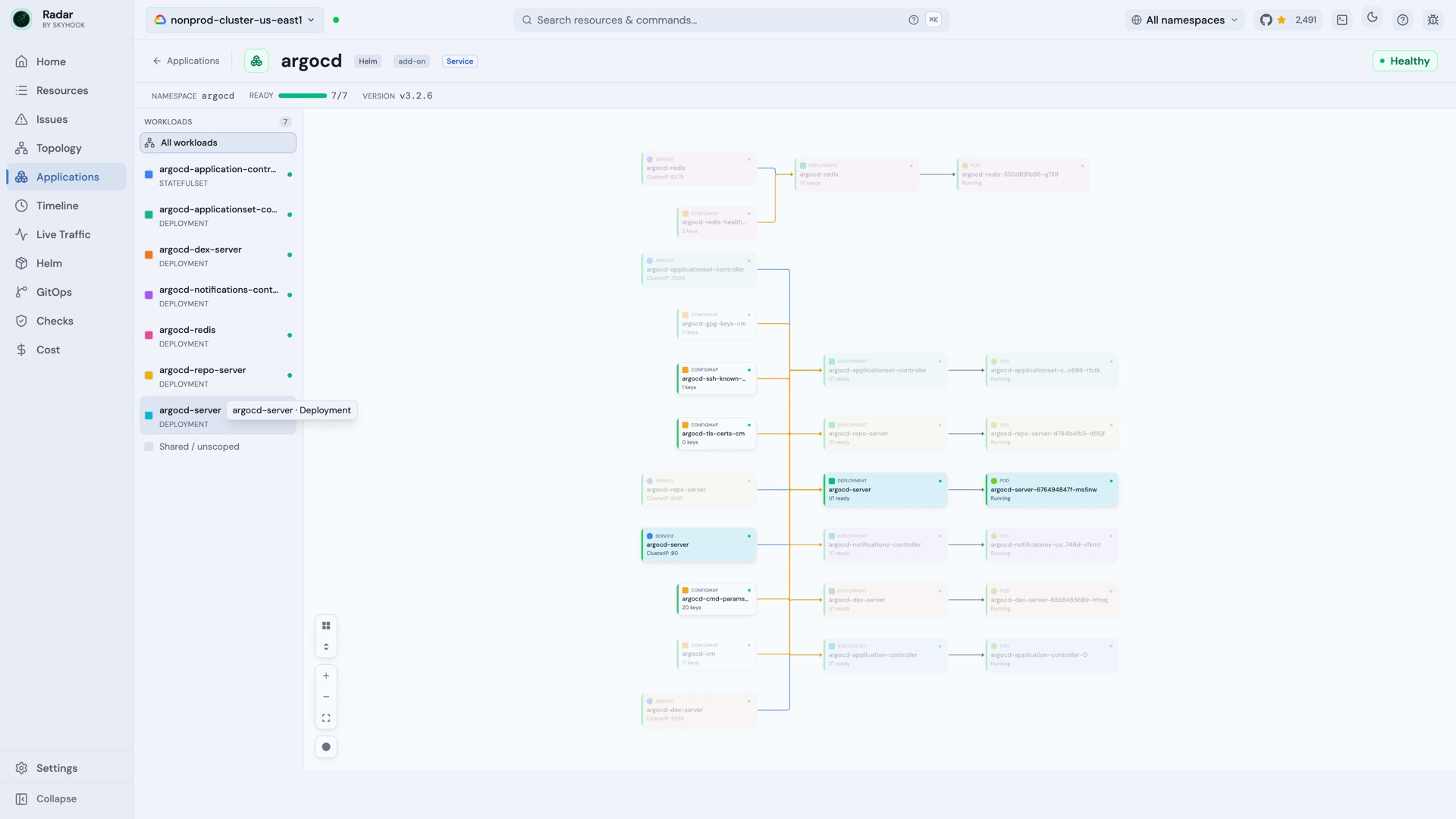
Workload metrics
Select a Deployment, StatefulSet or DaemonSet in the workload rail, then open Metrics to inspect CPU, memory and throttling alongside HTTP request rate, errors and latency when supported telemetry is available. These charts describe the selected workload, not the sum of every member of the app. Compare current Pods to find outliers, or use workload history to follow resource and request metrics across rollouts when ownership data is retained. See Workload metrics for screenshots, data prerequisites, automatic discovery and how to interpret coverage.Rollouts and serving readiness
Applications can contain several workloads at different points in a rollout. Radar keeps two signals separate so transient controller work is not mistaken for an outage:- Ready reports the target capacity currently available to serve. Surge Pods never inflate the count above the target.
- Runtime reports applying, scaling, waiting, progressing, paused, or failed rollout activity.
Finding apps
- Search filters apps by name; keyboard navigation (
j/k,Enter) moves through the list and opens an app without leaving the keyboard. - The view sits in the left nav rail alongside every other view - jump to it with
g a.
Across clusters
The single-cluster view above is the open-source and per-cluster Cloud surface. To fold the same app across the clusters and environments it runs in - one row per app, with version skew and promotion lag - see Fleet Applications in Radar Cloud.See also
- Jobs and workflows - inspect retained runs, execution steps, configuration, activity, and logs for batch workloads.
- Topology - the graph the per-app view scopes down.
- GitOps - the Argo CD / Flux applications that feed app grouping.
- Fleet Applications - the same view folded across your fleet (Cloud).