

The tab appears only when the cluster serves Trivy Operator’s VulnerabilityReport kind. Without Trivy Operator, Radar shows nothing about vulnerabilities: no empty tab, no zero.
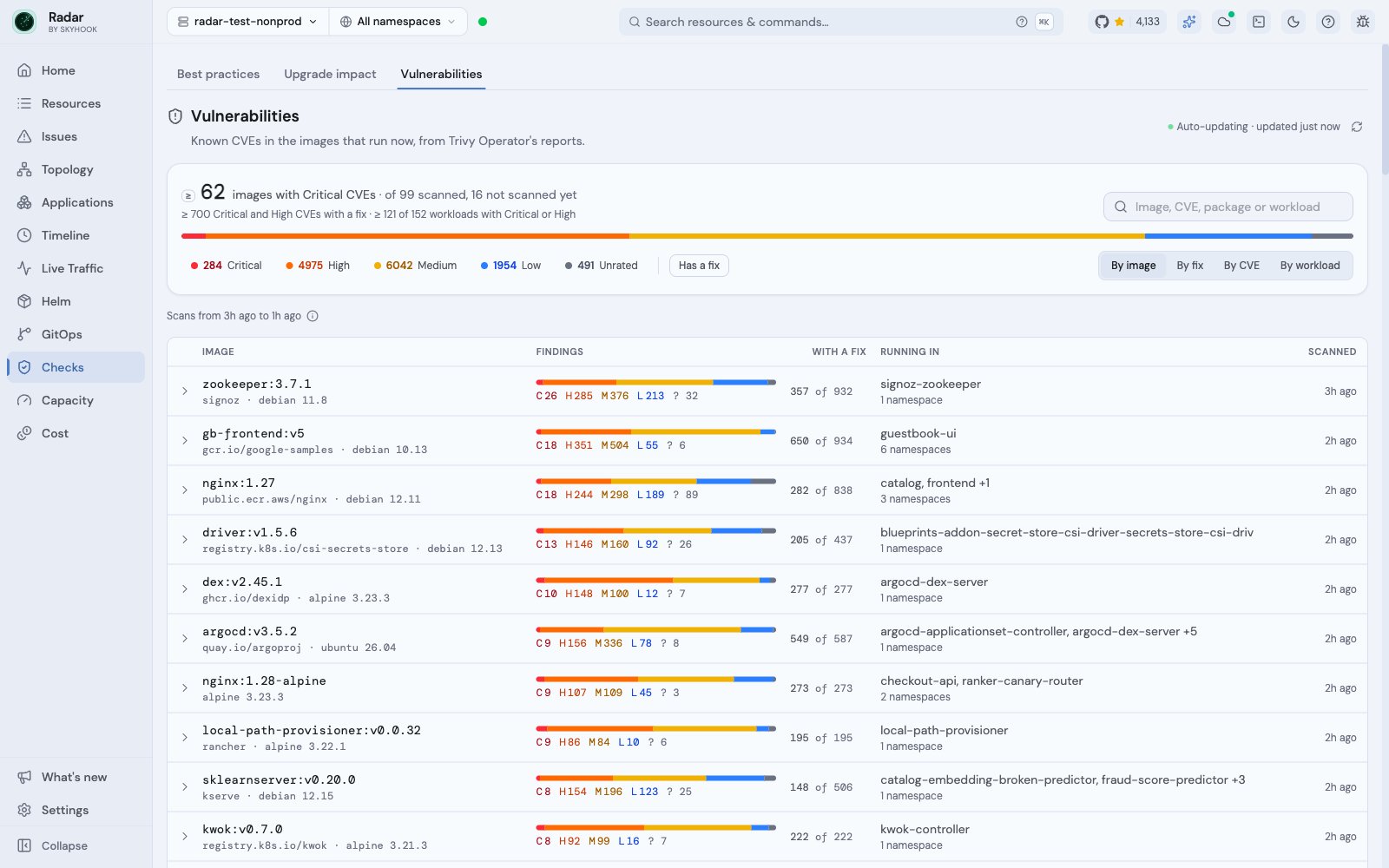
Open it
Open Checks in the navigation rail, then select Vulnerabilities. The header sums up the cluster: how many images carry Critical CVEs, how many images are scanned and how many aren’t yet, and how many workloads run something Critical or High. Severity chips filter every view, and Has a fix keeps only findings with a fixed release. The same answer shows up in two other places:- Home: the Checks card has a Vulnerabilities line, such as “3+ images with Critical” or “8 fixable High”, that opens the tab.
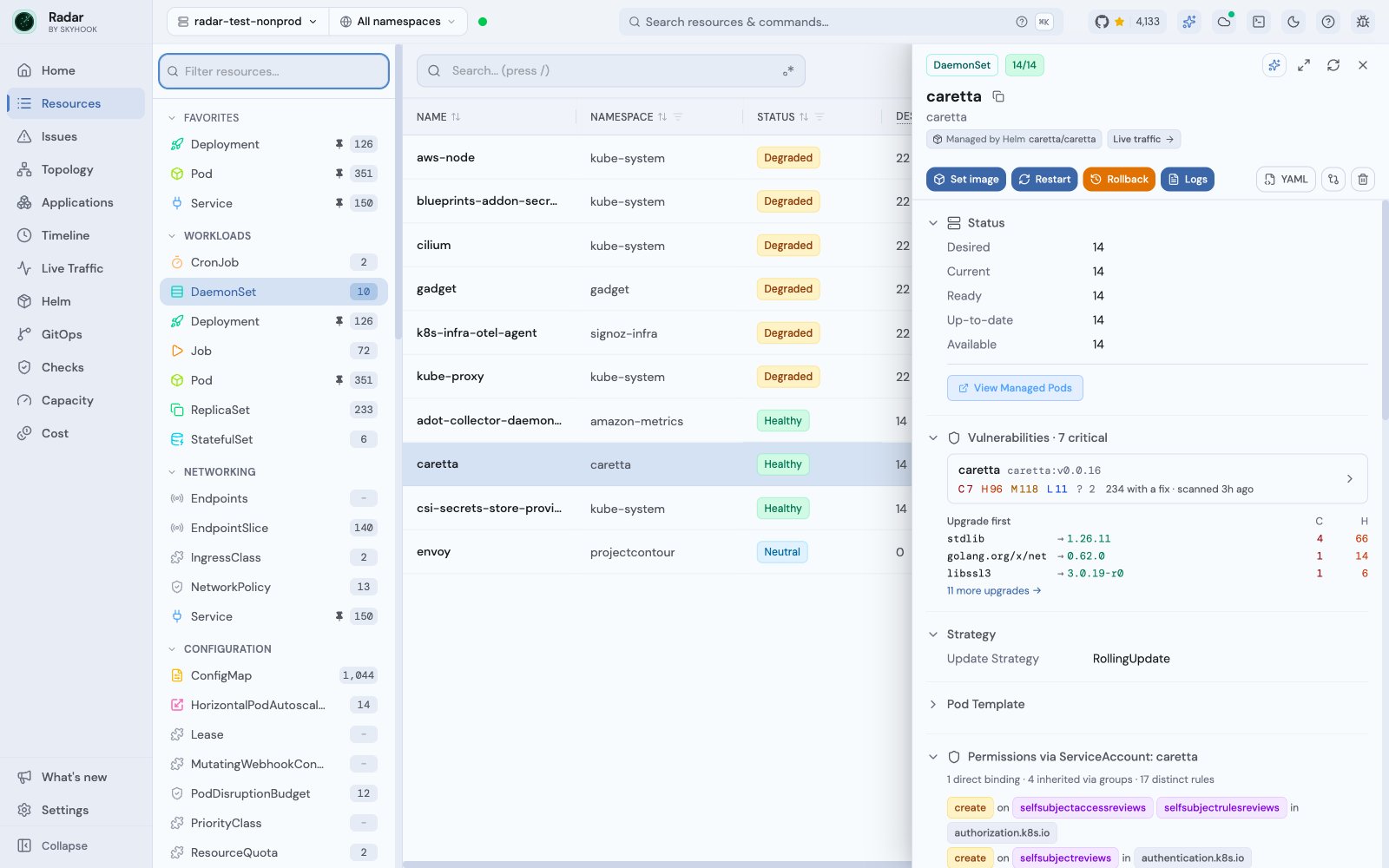
- Workload drawer: a Deployment, StatefulSet or DaemonSet shows a Vulnerabilities section with its images, their findings and the upgrades to make first.
Four ways to look at it
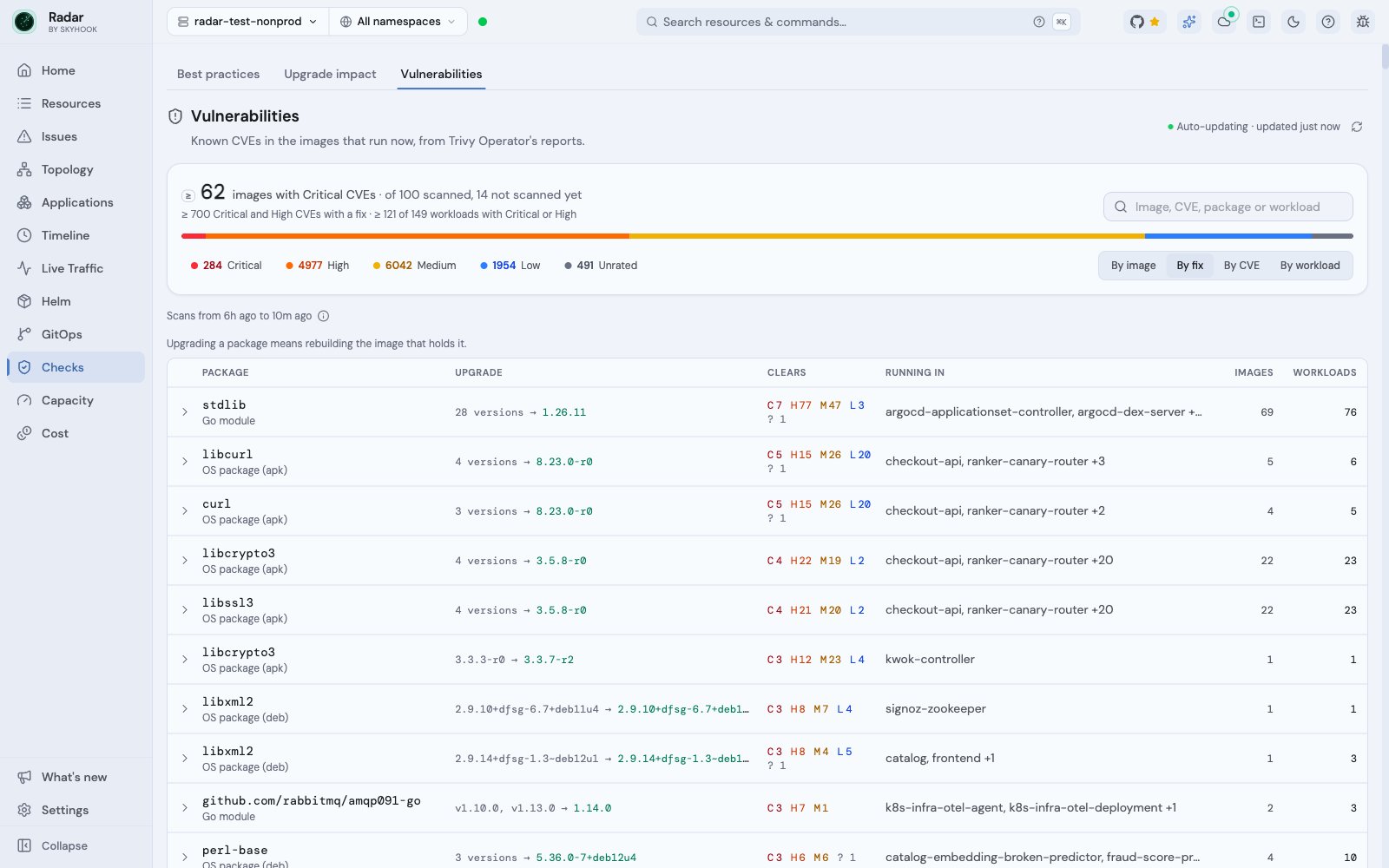
By fix: what to upgrade to
A scanner lists one fixed release per CVE, and often one per maintained branch. By fix turns those into upgrades you can act on. It groups an image’s fixable findings by package and installed version, and picks the lowest listed release that fixes all of them, using the package’s own versioning: Debian, Alpine, RPM, Python, RubyGems, Maven, or semver for npm, Go, Cargo and NuGet. For example,6.11.4 with fixes listed as 8.0.1, 7.5.5, 6.11.6 upgrades to 6.11.6, staying on its branch. Images that need the same upgrade of the same package share one row, so a base-image fix that clears CVEs across forty images reads as one line of work.
When Radar can’t order a package’s versions, the row shows the releases the scanner listed and doesn’t pick one.
How to read the numbers
Not scanned is not clean. A running image without a report is listed as not scanned yet. While any running image is unscanned or some reports can’t be read, totals read as minimums (≥ 62); with nothing scanned, they read as unknown.
Only what runs counts. A report counts while the object Trivy scanned still runs that image: Pods that aren’t finished, CronJobs that aren’t suspended. Images are matched by the digest each container actually runs, so a re-pushed tag like :latest never borrows an older build’s scan.
One finding, counted once. A CVE counts once per package version in an image, so totals can be lower than the summaries in Trivy Operator’s own reports. A finding Trivy left unrated, common for Go modules, is rated from its CVSS score.
Trivy decides what’s listed. Trivy Operator’s own settings (trivy.ignoreUnfixed, trivy.severity, ignore policies) decide what a report contains, and a report reflects the vulnerability database at scan time. Radar shows the reports as they are.
Access and scope
Reports are read only in namespaces where you may listvulnerabilityreports, and every workload named is checked against your own access. Namespaces Radar couldn’t read are named above the list, and the totals read as minimums. The namespace picker narrows every view.
Vulnerabilities is separate from Issues and from the Best practices queue and score: a CVE is evidence about an image, not a live failure.
For AI agents
The MCP toollist_vulnerabilities returns the same views (image, cve, workload, fix, summary) with the same coverage rules, so an agent can answer “which workloads run an image with CVE-…, and what do they upgrade to?” in one call. It’s listed only on clusters that serve Trivy Operator’s reports. See MCP.
Related
- Trivy Operator integration - report detail views, search by CVE, and the full rollup rules.
- Cluster audit - best-practice posture checks.
- Kubernetes upgrade impact - what blocks the next Kubernetes minor.