

See every Flux workload and state
Open GitOps to see Flux Kustomizations and HelmReleases in one operational view. Each row resolves the source URL and revision, path or chart, target namespace, reconciliation status, health, automation mode, and lifecycle state. Search and filter across healthy, reconciling, failed, suspended, and terminating resources without switching betweenflux get, kubectl describe, and controller logs.
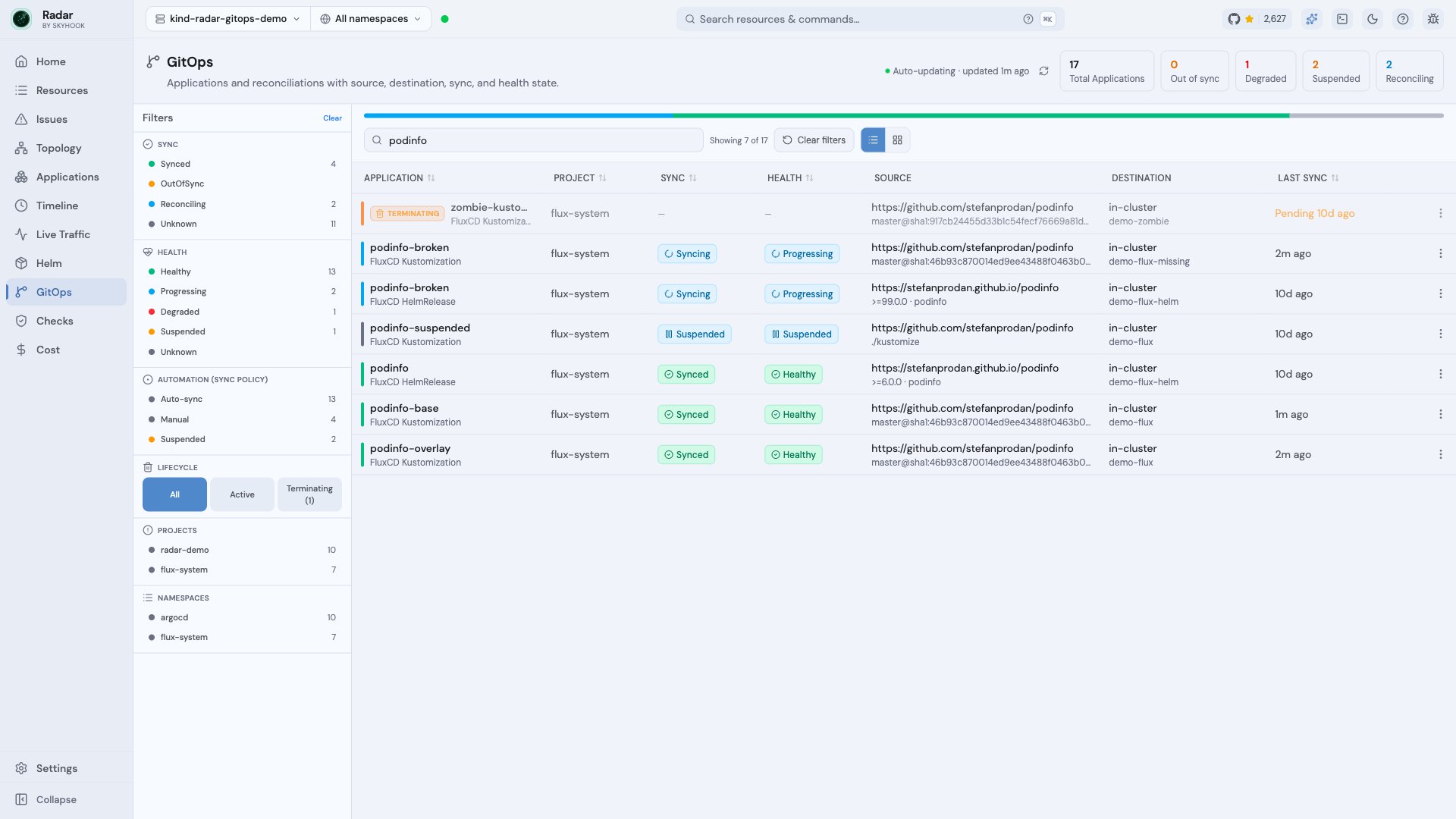
Flux fleet view - Kustomizations and HelmReleases across healthy, suspended, reconciling, failed, and terminating states
Follow sources, dependencies, and managed resources
Radar builds a live topology for each Kustomization and HelmRelease:- The source relationship to a GitRepository, OCIRepository, HelmRepository, or Bucket.
dependsOnrelationships between Kustomizations or HelmReleases.- Resources from a Kustomization’s Flux inventory.
- Resources owned by a HelmRelease, matched using the labels written by Flux helm-controller.
- Kubernetes ownership from workloads through ReplicaSets and Pods.
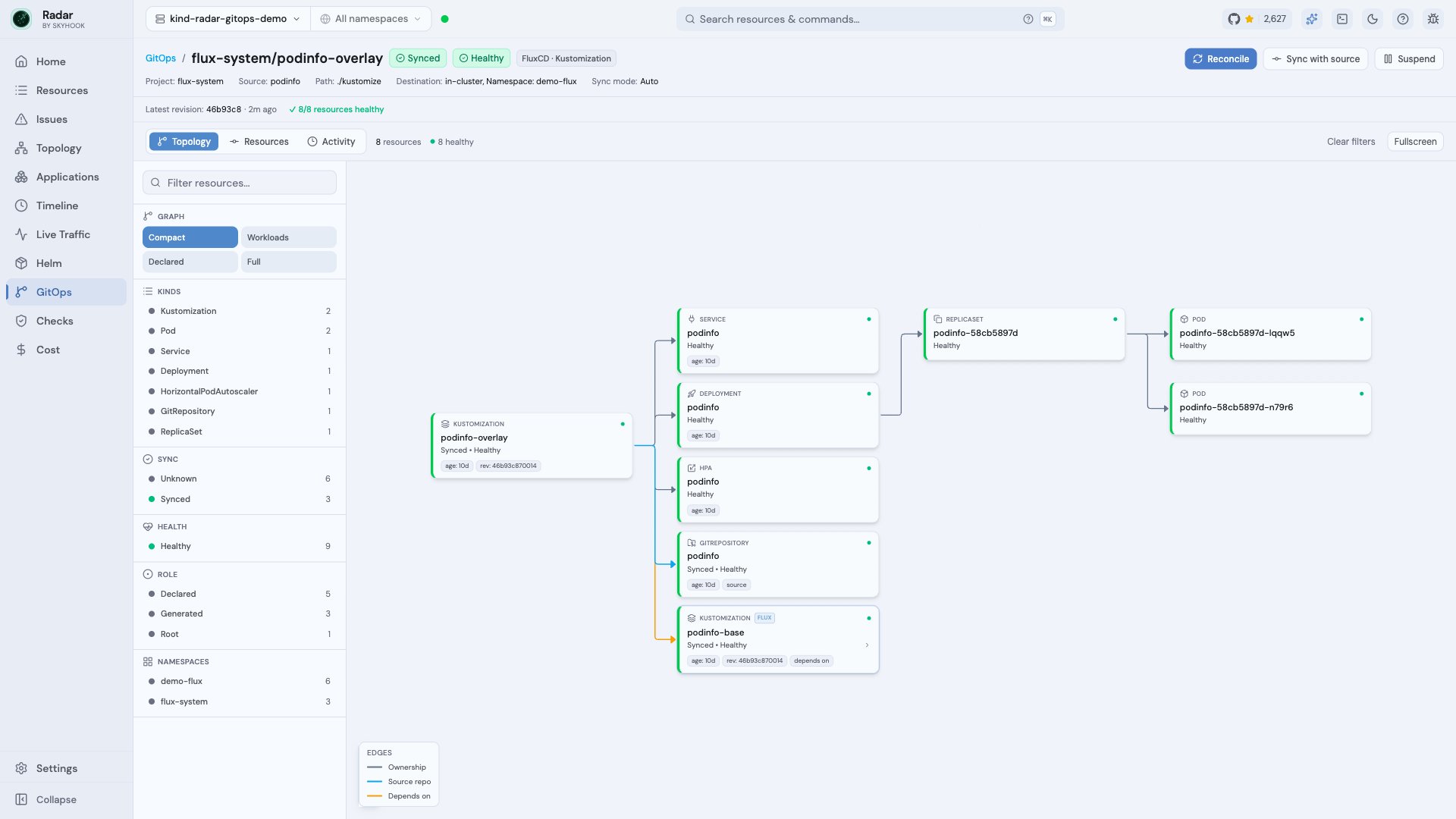
Flux Kustomization topology - source repository, dependsOn relationship, and managed Kubernetes resources
Investigate failed reconciliations
Radar turns Flux conditions into an operator-facing issue band. It highlights failingReady, Healthy, Released, and TestSuccess conditions, plus Stalled=True and active Reconciling=True state. Radar preserves the controller’s exact message and adds action guidance for common source, chart, build, dependency, and apply failures.
The Activity tab shows the current condition transitions and applied or attempted revision. Terminating resources get a dedicated lifecycle state, deletion-age severity, finalizer ownership, and controller-health attribution when Radar can read the Flux controller Pods.
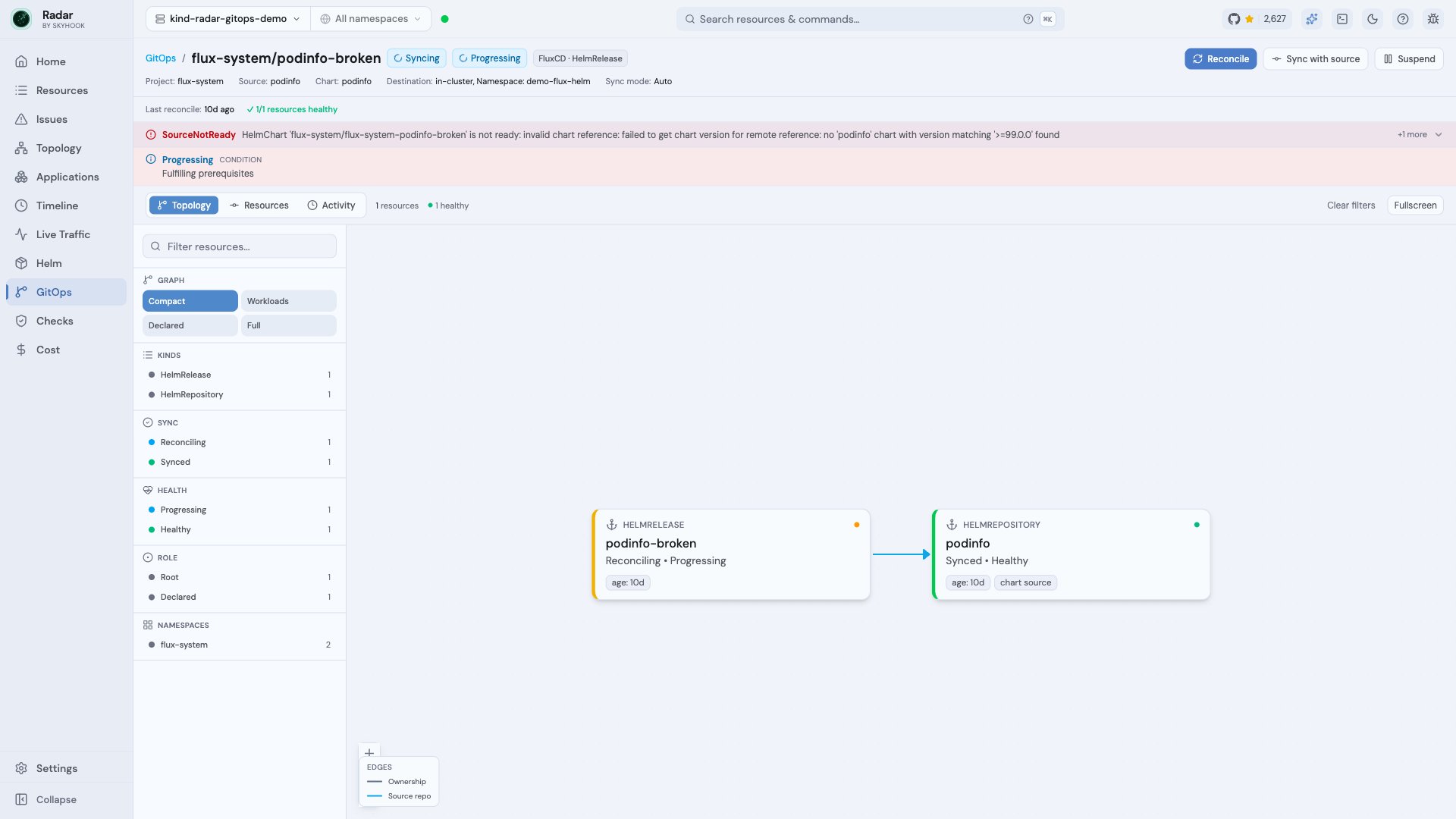
Flux HelmRelease diagnosis - exact SourceNotReady error with source relationship and reconciliation controls
Operate Flux from the UI
Kustomization and HelmRelease detail pages expose the common Flux operations:
The same reconciliation, suspend, and resume operations are available to AI clients through Radar’s MCP server. Kubernetes RBAC remains the enforcement boundary.
Flux context throughout Radar
Flux ownership is useful outside the GitOps workspace:- Helm releases installed by Flux carry a
Managed by Fluxlink back to the owning HelmRelease and warn that direct Helm changes may be reconciled back. - Topology and Timeline route Flux Kustomizations and HelmReleases to their GitOps detail pages.
- Resource views provide dedicated renderers for Kustomizations, HelmReleases, GitRepositories, OCIRepositories, HelmRepositories, and Alerts.
Supported Flux resources
Kustomizations and HelmReleases get the complete GitOps workflow: fleet status, dedicated detail pages, topology, diagnosis, activity, and operations. GitRepositories, OCIRepositories, HelmRepositories, and Alerts have dedicated resource details, while Bucket sources can appear in topology and use Radar’s generic resource detail. See the GitOps coverage matrix for exact CRD versions and per-resource fleet, topology, detail, and structured AI coverage.Install and permissions
If Flux is already installed, install and run Radar against the same cluster. Radar discovers the Flux CRDs automatically. Local Radar uses the permissions of your current kubeconfig identity. For in-cluster Radar, Flux CRD read access is enabled by default throughrbac.crdGroups.flux; leave it enabled. Reconcile, sync-with-source, suspend, and resume require patch on the relevant Flux CRDs. See in-cluster configuration for Helm values and narrower rbac.additionalRules.
Radar currently builds Flux topology from resources in the connected cluster. It does not expose generic rollback or per-resource selective sync for Flux, and desired manifest content is not yet available for Git-to-live field diffs. See the broader GitOps workspace for the current Argo CD and Flux capability split.