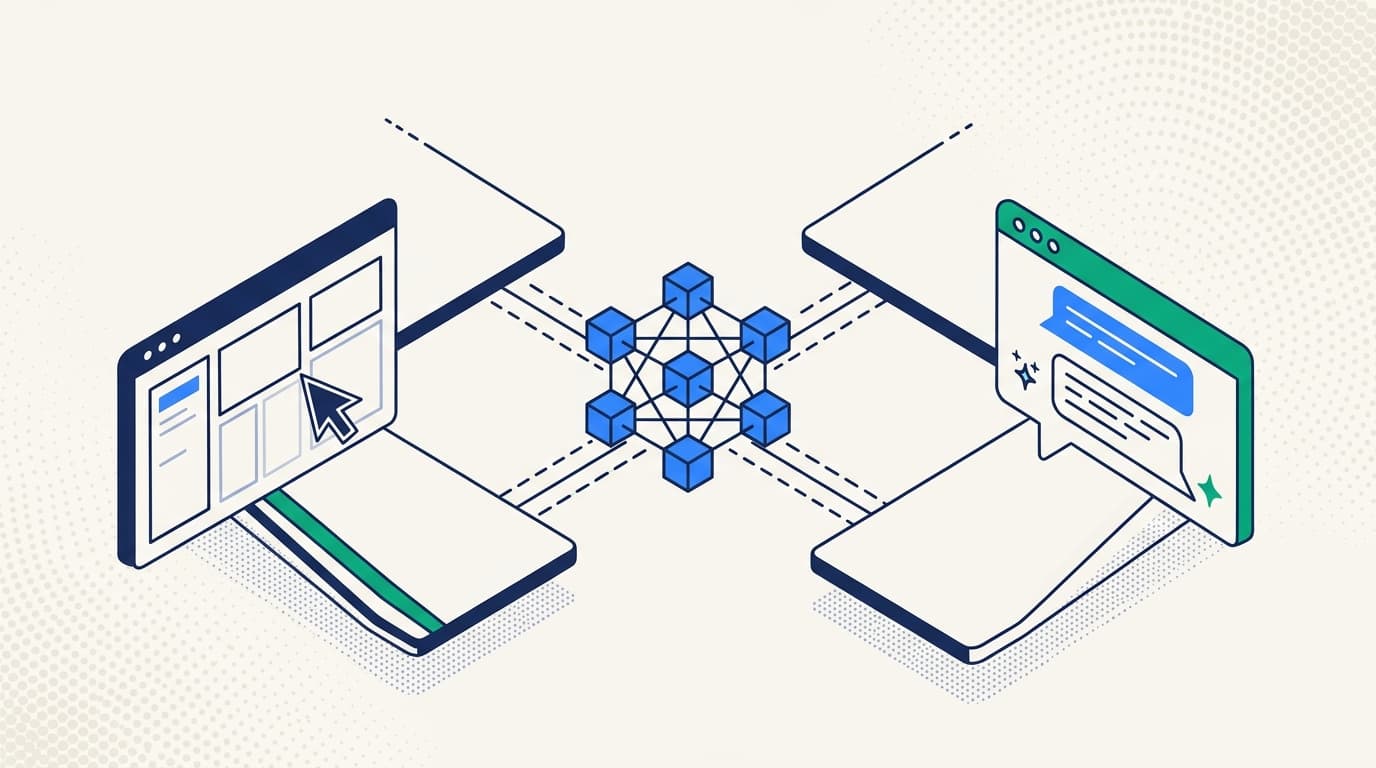
Several active debates in Kubernetes operations all sound binary.
The loudest one right now is agent-vs-UI. Do you go agent-first, with an AI assistant in Slack handling most of what humans used to do in a dashboard? Or stay UI-first, because production debugging is a job for eyes-and-cursor and you don't trust an agent to drive it?
The older debates haven't gone away either. Plain kubectl versus a TUI like k9s - one camp loves the scriptability, the other refuses to give up the live interactive view. Terminal-first versus dashboard-first - is a web UI a luxury or a necessity? Each of these arguments has long-standing camps with strong opinions, and each one quietly asks you to pick a side.
The common thread: all of these debates assume you have to pick one surface. For almost every team we work with, the honest answer is "all of them, depending on the moment" - and the right question to ask of a tool is whether the surfaces you reach for, the visual one and the agent one, are actually good at making sense of the cluster, not just at displaying it.
TL;DR. Kubernetes operators work across three surfaces - CLI, UI, and AI agent - and each wins at a different job. kubectl already owns the CLI; nobody needs a second one. The catch: a cluster is a large, constantly changing graph of related objects, sprawling across a huge third-party ecosystem - and raw YAML from the terminal is a poor way to make sense of it, whether you're a human or an LLM. The two higher-level surfaces, a visual UI and a structured agent layer, are where that sense-making should happen, and most tools do them badly. That's what Radar set out to fix, while leaving kubectl exactly where it is.
Each surface earns its place
The first step is to stop ranking the surfaces. Each one has a legitimate, durable reason to exist.
The CLI is for speed and muscle memory. When you know exactly what you want, kubectl get pods -n checkout-prod -o wide | grep CrashLoop is faster than any UI. CLIs are scriptable, pipeable, automatable, and replayable - the foundation of everything from break-glass procedures to CI pipelines. They reward expertise. Serious operators live in a terminal for a meaningful fraction of their day.
The UI is for navigation and pattern recognition. Kubernetes state is dense, hierarchical, and fast-changing. A good UI lets you scan a topology, spot an outlier pod, drill into its logs, and flip back to the timeline in three keystrokes. The bandwidth of eyes-on-a-screen for "what is going on across this cluster?" is hard to beat - especially at 2am, when you do not yet know what you are looking for.
The agent is for summarization and natural-language access. A meaningful slice of Kubernetes operations is not pattern recognition; it is "summarize what changed in the last 20 minutes," "tell me which of these alerts are related," "explain why this deployment is failing readiness." That work is genuinely a fit for LLMs. Teams that have moved routine triage into Slack-resident agents have gotten real leverage out of it.
These three pictures are not in conflict. They describe different jobs:
| Surface | Best at | Weakest at |
|---|---|---|
| CLI | Speed, scripting, automation, deep familiarity | Discovery, cross-cutting views, onboarding |
| UI | Visual scanning, navigation, deep-linking, "what is happening?" | Repetition, batch operations, automation |
| Agent | Summarization, natural language, correlation across noisy state | Precision, trust at the sharp end, repeatability |
The pattern we see in the field
Across the teams we work with, three archetypes show up repeatedly, and all three are reasonable.
CLI-anchored teams are often infra-leaning and deeply experienced - they have been operating Kubernetes from a terminal since before there were good dashboards, and the muscle memory is real. The stance has become a bit old-school, though: a UI gets installed grudgingly and rarely opened, an agent is dismissed as autocomplete for people who do not know kubectl. The risk is staying there by default and missing what the other surfaces are actually good at. Teams from this camp that give the UI and the agent an honest try almost always end up using all three, because cross-cutting views and natural-language summarization do not compete with terminal expertise - they compound with it.
UI-anchored teams are often platform or developer-experience focused. They want a single pane that is easy to onboard a new engineer into. They rely on dashboards for incident response and for self-serve developer workflows.
Agent-leaning teams have an internal AI assistant wired into Slack, docs, metrics, the IDP, and the cluster. Developers stop touching clusters directly; most everyday questions get asked in natural language. These teams move fast and the assistant absorbs a lot of toil.
Most real organizations are a mix of all three. The infra side keeps the CLI. The SRE side reaches for the UI during incidents. Some subset of the team is increasingly conversational with an AI assistant. People reach for what is convenient for the task in front of them, and that should be fine.
The hard part is making sense of the graph
A Kubernetes cluster isn't a list of objects; it's a live, interconnected graph. A Deployment owns a ReplicaSet owns Pods. A Service selects some of those Pods, an Ingress routes to the Service, ConfigMaps and Secrets feed the containers, an HPA scales the workload, and a GitOps controller owns the whole thing. Then the third-party ecosystem piles its own CRDs and operators on top - Argo, cert-manager, Cilium, KEDA, half the CNCF landscape - each with its own objects and relationships. And all of it changes by the second.
Watch someone debug a 2am incident and what they are really doing is reconstructing a slice of that graph in their head. They want:
- Pod state now, and pod state three minutes ago, before the bad thing happened.
- Events for the namespace, filtered to the last 20 minutes.
- Recent Deployment changes from the GitOps controller.
- The last 200 lines from the three pods that crashed.
- Topology - what talks to what.
- Cluster context: nodes, capacity, the network policies in front of the failing service.
The CLI hands all of this back as raw YAML and flat text and leaves the reassembly to you. That is a fine trade when you know the one object you want. It is a bad trade when you are trying to understand how a dozen related objects are interacting - which is most of incident response, and most of onboarding.
That is the gap the higher-level surfaces exist to close. A human needs the graph rendered - topology, timelines, ownership chains, health rolled up - so the eye can do the pattern-matching it is good at. An agent needs it structured and enriched - not the same noisy YAML dumped into a context window, but a model of the graph it can actually reason over. The argument was never "agent or UI." It is which of those two does less to fight you on the task in front of you - and whether either is actually better than squinting at kubectl output.
What we built, and why
kubectl is the CLI. It is excellent, it is not going anywhere, and we had no interest in shipping a worse one. What teams were missing was the other two surfaces done well, on the same foundation. So when we open-sourced Radar, we shipped two front ends on a single backend:
- A web UI - topology, event timeline, service traffic, resource browsing, logs, exec, Helm and GitOps - served by the single Radar binary you launch with
kubectl radar(or the desktop app, no terminal at all). - A Model Context Protocol (MCP) server, so any compliant agent (Claude, Cursor, in-house bots) reads the same cluster state through tool calls - deliberately not raw
kubectl. Radar's MCP returns token-optimized, enriched data (topology graphs, health assessments, deduplicated events, scrubbed logs), never exposes Secret values, and separates read tools from seven explicit writes. Kubernetes RBAC enforces every write, and tool annotations let the AI client request confirmation. That is the layer agents actually need and rawkubectlcan't give them.
Both are built on the same SharedInformer-backed model of the cluster graph, with the same access controls, and both sit alongside the kubectl you already use. We did not build the UI and the MCP server to settle the agent-vs-UI debate. We built them because the existing options on both surfaces were thin - dashboards that list resources without showing how they connect, and "AI integrations" that just pipe raw kubectl into a model - and a graph this tangled deserves better than that on either surface.
The reaction has been the most informative part. The teams that have responded most to Radar are not the people who care most about any single surface. They are the people who refuse to pick - the platform leads who were tired of dashboards that barely beat kubectl get and agents that choke trying to reason over raw YAML.
What this looks like on a real incident
Imagine the 2am page. A user-facing API is returning intermittent 503s.
Here is how the incident plays out when no surface has been pre-empted:
- CLI. The on-call engineer hits the terminal first, the way everyone does:
kubectl get pods -n checkout-prod. Three pods in CrashLoopBackOff. That is all kubectl needs to tell them - it is fast and it is right there. - UI. To see why, they open Radar, deep-linked to that pod, and scroll the timeline. There it is: a Deployment 12 minutes ago. The topology shows a downstream dependency in degraded state. They start reading logs - the kind of cross-cutting picture a terminal can't draw.
- Agent. In parallel, they ask Claude (via Radar's MCP server) to "summarize the last 20 minutes of events in
checkout-prodand tell me what changed." Claude reads the same enriched backend the UI is reading - not rawkubectloutput. It returns: "Deploymentcheckout-apirolled out at 02:14:32; three pods CrashLoopBackOff; new imagecheckout-api:v2.41.7failing readiness on/health." - Back to the UI for the action. The engineer decides to roll back. One click, from the dashboard - or they ask the agent to call the MCP rollback tool. Same backend, same action, same RBAC.
- Async. Five minutes later, an SRE pulled in via PagerDuty opens the incident's deep link. They see the same view. They ask the agent for "anything similar in the last 90 days." It finds two prior incidents and links the timelines back into the UI.
Nothing about that flow privileges a single surface. kubectl answers the fast, precise question. The UI draws the picture from the graph - what owns what, what routes where, what changed when. The agent turns "what happened here" into a paragraph. Each does the part it is best at, and none of them makes you reassemble the cluster from raw YAML by hand.
If the team had been forced to pick "UI-first" or "agent-first" at the start of the year - and to give up one of them to get the other - at least half the moves above would be slower or impossible.
The takeaway
It is fine to lean toward any one modality. Most teams will have a primary surface, and that is healthy - it is how culture and muscle memory build. CLI-anchored teams stay CLI-anchored. UI-anchored teams stay UI-anchored. Agent-leaning teams keep extracting leverage from their assistant.
What is worth pushing back on is the implicit assumption in a lot of current tooling positioning: that the modality you lean toward dictates the tool you buy, and that picking the "wrong" tool locks you out of the other two. That is only true if the tool has one front end and treats the others as roadmap items.
If you are evaluating tools for your team, the right question to ask is not "do you have an AI mode?" or "is the dashboard nice?" Either is easy to bolt on. The real question is whether the tool's UI and its agent actually make sense of the cluster graph - rendering the relationships for a human, modeling them for an agent - or whether they just dress up the same flat output you would get from kubectl.
If yes, you do not have to pick. Your engineers keep kubectl for the precise, scriptable questions, work in the dashboard when they need to see how things connect, and lean on the agent when they want it explained - each surface pulling its weight.
If no, you have bought a second and third way to read flat output, and your team will still be reassembling the cluster in their heads at 2am.
That is the bet we made with Radar. One engine that watches your clusters - the same SharedInformer foundation across Radar OSS and Cloud, running at fleet scale when you need it - that turns live cluster state into something both surfaces can actually use: a UI that renders the graph for humans and an MCP server that models it for agents. kubectl stays in your terminal for when raw and precise is exactly what you want.
Keep your CLI. Reach for the dashboard or the agent when the cluster is too tangled for raw YAML. Making those two genuinely good is on us.
Get the next issue in your inbox
Kubernetes deep-dives, new Radar releases, and what we learned shipping them.
One or two emails a month. No sales sequences. Unsubscribe anytime.
Keep reading
The 3am Test: Autonomy Levels for AI Agents in Kubernetes Operations
Kubernetes already fixes things at 3am without asking. Six levels for deciding what an AI agent gets to do in your cluster - and what should still wake you.
Read-Only Is Not a Safety Boundary
Two sentences get said in every meeting where a team wires an AI agent into a cluster: it's read-only, and just use the service account. Both are wrong later.
Radar MCP vs kubectl: A Kubernetes Agent Benchmark on 54 Faults
Radar MCP reached a correct Kubernetes diagnosis in 41 seconds vs 154 seconds for raw kubectl across 54 live faults. See what the rerun changed.