Read-Only Is Not a Safety Boundary
Two sentences get said in every meeting where a team wires an AI agent into a cluster: it's read-only, and just use the service account. Both are wrong later.
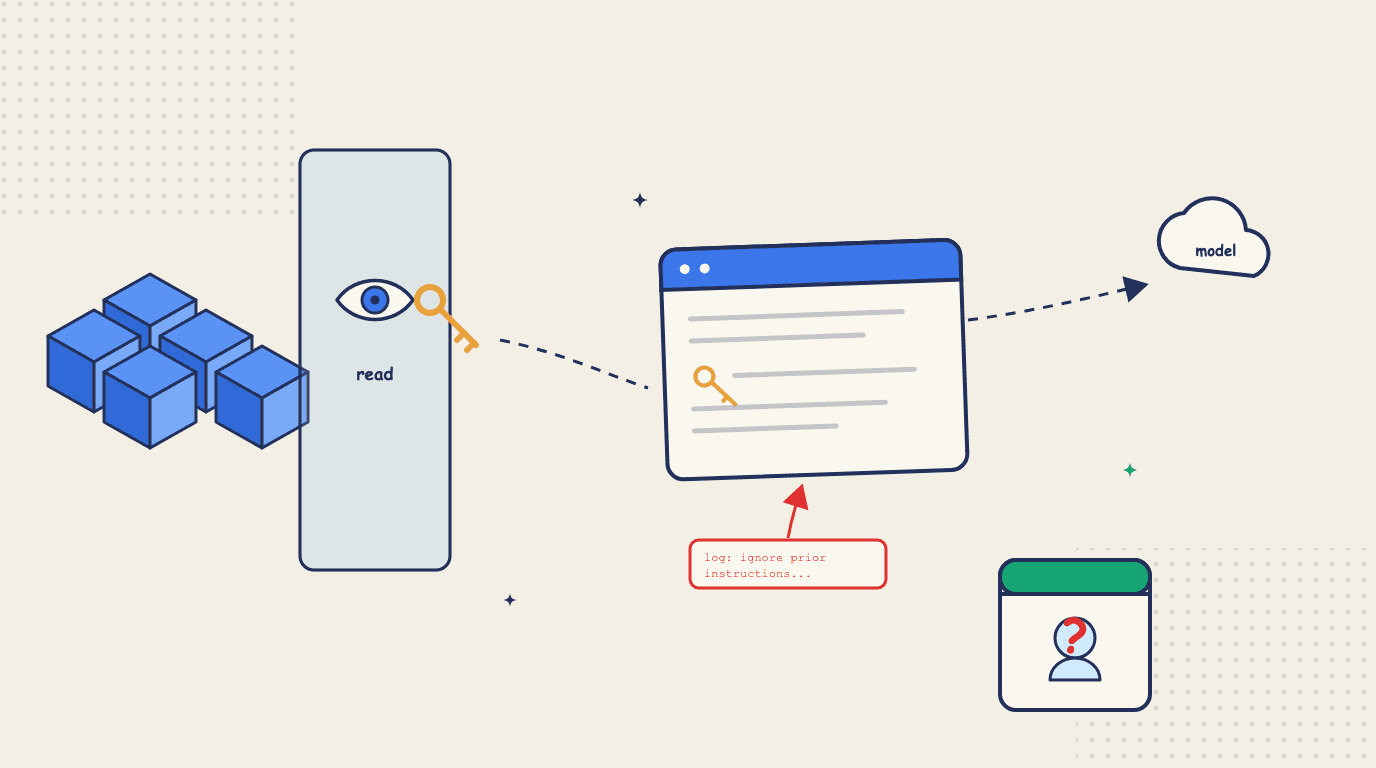
There are two sentences I hear in every meeting where a team wires an AI agent into a Kubernetes cluster. The first is "it's fine, we gave it read-only access." The second is "just point it at the service account." Both sound like the cautious choice, and I've said versions of both myself. They come back to bite you later, in ways that don't show up in the demo.
This is a post about why, and what I'd check instead. I'm writing it as the person who had to make these calls for our own product, so it's opinionated rather than exhaustive. And to be clear up front: read-only is still a control worth having. It genuinely bounds what an agent can change, and you should use it. The mistake is treating it as a boundary on what an agent can learn, leak, or be talked into - which is what the meeting quietly assumes.
TL;DR. In Kubernetes, being able to read is close to being able to read the credentials, and for an agent every read is also a send - out to a model, usually off your infrastructure. The cluster state it reads is partly written by attackers, so read access is also an injection surface. And a shared service account means the audit log can't tell you which human's agent did what. None of these are fixed by the model getting smarter. They're fixed by scrubbing reads at the tool layer, cutting off the exits an attacker can see, and giving the agent a real identity - the human's when a human is driving, its own when nobody is.
"Read-only" doesn't mean what you think
Start with the part everyone treats as obviously safe. Kubernetes ships a built-in view role, and its own documentation is blunt about what that role leaves out on purpose:
This role does not allow viewing Secrets, since reading the contents of Secrets enables access to ServiceAccount credentials in the namespace, which would allow API access as any ServiceAccount in the namespace (a form of privilege escalation).
The people who designed Kubernetes RBAC already decided that being able to read Secrets is the same thing as privilege escalation, and they built the default read-only role specifically so it can't. A Secret's contents are base64, which is encoding and not encryption, so anything that can get a Secret gets the value. To read one is to hold the credential.
So if your agent is bound to view, it can't read Secrets. The trouble is that credentials don't stay in Secrets as reliably as the meeting assumes. To be precise about the mechanics: a credential that reaches a pod through secretKeyRef is safe from view, because the pod spec carries a reference to the Secret rather than the value. But a password typed straight into env[].value is sitting right there in the pod spec. Connection strings live in ConfigMaps because a ConfigMap is less hassle than a Secret. Tokens get printed into container logs on an error path more often than anyone likes to admit, and they get quoted back inside Events. Locking the Secret while leaving the pod spec, the ConfigMap, the log, and the Event readable locks less than it sounds like.
What "read-only" actually bounds is what a human can change. It barely touches what a human, or an agent, can learn. For a person that gap is usually harmless, because a person reads one thing at a time for a reason. An agent reads differently, and that's where it stops being harmless.
Reading is sending
Here's the part the phrase "read-only" hides completely. When you run kubectl get, the bytes land on your screen and stop there. When an agent reads the same object, those bytes go into a model's context, and unless you're running that model on your own hardware, they leave your infrastructure on the next API call.
So "read-only" for a person means look but don't touch. For an agent wired to a hosted model it means everything it can look at gets shipped to a third party. Those are different promises, and the meeting usually only makes the first one out loud. To be fair to the providers, the defaults are mostly reasonable - the major APIs say they don't train on your traffic by default. But retention windows, abuse monitoring, human review, and regional processing all vary by provider and by how your account is configured, and once the bytes are sent, what happens next is governed by someone else's policy rather than your RBAC. "Handled responsibly at a vendor" is a different security story than "never left the cluster." The setup that genuinely keeps cluster contents inside your boundary is a model you run inside it - and even then only if the agent's other tools and telemetry stay inside too.
One distinction to keep straight, because the next section depends on it. This is a confidentiality question between you and your vendors, about where your data goes when nothing is attacking you. It is not yet about an attacker stealing anything. The model provider's API is not a channel your attacker can read. What an attacker needs is different, and most agents have it anyway.
The cluster is writing to your agent
Now the failure mode that turns a quiet concern into an active one.
There's a framing I keep coming back to from Simon Willison, who named the lethal trifecta in 2025. An LLM system gets dangerous when it combines three things: access to private data, exposure to untrusted content, and a way to send data somewhere an attacker can see it. Any one or two of those is usually fine. All three together mean an attacker who controls the untrusted content can talk the model into taking the private data and shipping it out.
A read-only cluster agent has all three more often than you'd think. The private data is the whole point, because it reads your cluster. The way out is any channel an attacker can actually observe - a web search or URL fetch the agent is allowed to make, or anything it can write where an attacker might later read it, down to a ticket reply or an issue comment. Note what's not on that list: the model API call itself. Sending your data to the provider is the confidentiality problem from the last section, but your attacker can't read the provider's servers, so it isn't their exit. The exits that matter are the mundane ones. And the untrusted content is hiding in the cluster state, which is the part people miss. A pod name, a log line, an annotation, an Event message - a lot of what an agent reads is text that somebody else can write. Anyone who can get a workload to log a line, or set an annotation on an object, has put words in front of your agent, and a model can't reliably tell the difference between data it was asked to look at and instructions dressed up as data.
The demonstration I'd point at is the Supabase MCP case from last summer. Researchers showed that instructions planted in a support ticket could steer a database agent into reading private tables and writing what it found back into the ticket thread, where the attacker could simply read it. No customer was breached; it was a proof of concept against an agent running with far more privilege than it needed. Two things about it are worth keeping. The untrusted content did its job - the agent followed instructions it found in data. And the exit was a write, which means the vendor's own read-only mode would have severed exactly that channel, and it's now the recommended default. Read-only helped there not by making reading safe but by removing the one exit that agent happened to have. Point an agent at the same data with a web-fetch tool in its pocket and read-only mode has nothing left to say.
When I first drafted this post I had a paragraph here admitting I couldn't find a public Kubernetes-specific demonstration. I've since deleted it. There's now a paper - LogJack, from this spring - showing debugging agents hijacked through instructions planted in cloud logs, with six of the eight models tested pushed all the way to remote code execution. And Kubernetes MCP servers have started accumulating CVEs whose advisories name indirect prompt injection as the way in - one of them lets a crafted string reach sh -c inside your pod. The ingredients were always sitting there. Now the demonstrations are too.
What a real read boundary looks like
If read-only isn't the boundary, you have to build one, and you build it at the tool layer instead of hoping the model behaves.
You scrub what leaves the cluster, so Secret values never enter the context in the first place and log lines get scanned for credential shapes before an agent sees them. This is pattern-based and therefore imperfect - a novel secret format will slip past it - and I'd rather say that plainly than oversell it, but it moves the default from "everything ships" to "the obvious credentials don't."
You keep write capability off the read path entirely - not a write tool that's present but disabled, and not one that's merely hidden from the model's tool list, but a surface that doesn't have the capability, with the cluster's own RBAC behind it in case anything gets through. Hiding tools from the model is attack-surface reduction; the boundary has to hold server-side, where a successful injection can't negotiate with it.
And you cut off the exits on purpose, because the Supabase lesson generalizes: you don't have to defeat prompt injection if the injection has no channel an attacker can read. When we built read-only investigations into Radar, we turned off the agent CLI's built-in web search during a run, specifically because it reaches the public internet and would hand an injection its exit. One of the supported CLIs can't be fully closed - Cursor has no way to suppress a user's own MCP servers - so there Radar tells you exactly that in a consent step before the run, instead of pretending. That closes the loudest exit, not every conceivable one - the honest version of this work is an inventory of every outbound path the agent holds, and a decision about each.
"Just use the service account"
So much for the first sentence. The second one is about who the agent is, and it fails in a quieter way. Wire the agent to a shared in-cluster ServiceAccount and you've answered what it can do without ever answering who it is. Those two come apart the moment something goes wrong.
I went and looked at how the AI-for-Kubernetes tools people actually deploy show up in the audit log, and they mostly split into two shapes. A tool that runs off your kubeconfig acts as you, and the API server authorizes and records its actions as you typing. There's a user-agent string that might hint an AI was involved, but it's self-reported by the client, not something the cluster will vouch for.
An operator-style tool runs as one shared ServiceAccount, so the API server sees the same principal - something like system:serviceaccount:ai:agent - no matter which of your engineers kicked off the action, or whether a human was involved at all. That's not anonymous, exactly; you know it was the agent. But it collapses every person and every workflow into one name.
Neither shape can answer the question an incident review actually asks, which is: whose agent did this, and who approved it. The audit log records the identity you handed the agent, so its answer is only ever as good as that identity. (All of this also presumes you've turned audit logging on and given it a policy, which the API server won't do for you. Worth checking before the night you need it.)
Kubernetes already ships the thing that fixes this, and it's the same mechanism we used for human SSO: impersonation. Run the agent behind a service that authenticates as itself and impersonates the person driving, and the audit event carries both names - the service that made the call and the human it acted for. Two caveats belong in the same breath, because impersonation is a power tool. The right to impersonate is itself RBAC, and the service holding it becomes a thing worth attacking, so scope it tightly. And the mapping from logged-in human to impersonated identity has to live in your code, somewhere no model output can touch it. Teleport put the underlying principle better than I can: an agent with its own identity is accountable and traceable, and one silently borrowing a user's identity is neither. The kubeconfig shape is the silent borrowing they mean. Impersonation through a service that authenticates as itself is the opposite: everybody involved is on the record.
Two right answers, depending on who's driving
This is where identity gets interesting, and where it ties back to autonomy levels. "Give the agent an identity" has two correct answers, and which one you want depends on whether a human is in the loop.
When a human is driving - the interactive case, someone asking the agent to investigate or approving a fix - the agent should act under that human's authority. The service impersonates you against the API server, the audit event carries both of you and reads like "Eyal, through the agent, restarted this pod," and the agent's ceiling can never rise above your own RBAC. A read-only engineer's agent can only read. You get that for free from impersonation, and it's the right model for every agent that acts because a person told it to.
When nobody is driving - the proactive agent acting unattended at 3am - there is no human to borrow from. It can't impersonate someone who's asleep, and you wouldn't want it to, because that puts a name on an action the person never saw. An agent acting on its own needs its own identity, with its own scoped permissions and its own envelope of what it may do without asking. This is the thing the whole identity industry spent the last year building, and I'll leave it at that rather than list every product. The mistake isn't picking impersonation or a dedicated identity. The mistake is the shared account, which hides the human when one was driving and reuses one identity - and one blanket ceiling - for every human and every workflow when one wasn't.
You can't revoke what you can't inventory
There's a scaling problem underneath all of this. Agents don't stay singular. Soon it's one per engineer's laptop, plus one in CI, plus a Slack bot, plus whatever somebody spun up for a demo and never turned off. CyberArk's latest landscape survey puts machine identities at 82 for every human one, with AI agents pouring fuel on the fire - and that's the only statistic I'll allow this post.
The consequence is boring and expensive. When an engineer leaves, or when one agent's token leaks, the question is whether you can shut that one credential off right now - tonight, not after an afternoon of spelunking. Most teams I ask can't say yes with a straight face. So two unglamorous things end up mattering more than any clever guardrail. You need an inventory: every agent and token with cluster access in one place, with an owner and a scope, because you can't revoke what you can't see. And you need those credentials to be short-lived and individually killable, not one static ServiceAccount token minted once and shared forever - which is exactly the direction Kubernetes' own guidance pushes, toward bound, expiring tokens over the legacy static kind.
Where this stops working
None of this is a silver bullet, and pretending otherwise would just repeat the "read-only is safe" mistake in a new outfit. Scrubbing catches known shapes and misses novel ones. Running the model locally closes the reading-is-sending gap but does nothing about a locally-hosted agent being talked into a bad action - different leg of the trifecta, still a problem. The whole MCP ecosystem is young enough that plain integration bugs still leak data without any attacker involved. And identity buys you attribution, not judgment: a perfectly named, well-scoped agent can still be confidently wrong, which is the autonomy-ladder problem and a separate discipline.
How we apply this in Radar
This is the part of the post about our own product, so weigh it accordingly. The honest summary is that we've tried to put every boundary above into the tool layer, where the model can't argue with it.
Radar's MCP server separates read tools from seven explicit write tools. Reads scrub Secret values and known credential shapes before they reach the model - pattern-based, with the limits that implies. Writes are enforced by Kubernetes RBAC and annotated so a client that honors them prompts first; one that doesn't is bounded by RBAC alone. During an AI investigation the write tools aren't present on the surface the agent talks to, the agent's built-in web search is switched off for the duration (with the Cursor caveat above), and an approved fix runs in a separate session bound to that one change.
Identity depends on which Radar you're running, and I'll describe it in the terms this post set up. A local AI investigation drives your own agent CLI under your own kubeconfig - the acts-as-you shape. Its ceiling is your RBAC, which is the right ceiling, but the audit log reads as you alone; I won't pretend that's the dual-attribution ideal from the last section. In Radar Cloud, requests go through the impersonation path we built for human SSO: the service authenticates as itself and impersonates the requesting user, so the ceiling is still the human's RBAC and the audit event names both. We have not shipped an agent that acts with nobody driving - when we do, it gets its own scoped identity, not a borrowed one and not a shared account.
None of that makes an agent something you can stop thinking about. It moves the important decisions out of the model's judgment and into places you can read the code for.
The two sentences, again
Next time you're in that meeting, put the two sentences under a little pressure. When someone says it's read-only, ask read-only what - Secrets, or the env vars and logs that hold the same values - and ask where what it reads ends up, a model you host or one you don't, and what's writing the text it reads along the way. When someone says just use the service account, ask whose name lands in the audit log when this thing acts at 3am, whether a human is even driving, and if this token leaked tonight, whether you could revoke just this one by morning.
If those have good answers, you built the boundaries. If they don't, "read-only" and "the service account" were never the safe choices. They just sounded like them.
Get the next issue in your inbox
Kubernetes deep-dives, new Radar releases, and what we learned shipping them.
About one email a month. No sales sequences. Unsubscribe anytime.
Keep reading
Radar MCP vs kubectl: A Kubernetes Agent Benchmark on 50 Faults
The same model diagnosed 50 live Kubernetes faults 3x faster on average through Radar's MCP server than through raw kubectl, with slightly higher accuracy. What we measured, why it happens, and where Radar still loses.
Radar on Cloud Native FM: Kubernetes as a Graph, and What Agents Change
Nadav Erell took Radar through a live broken cluster on Cloud Native FM. The short version: why a cluster is a graph, and what MCP actually changes.
The 3am Test: Autonomy Levels for AI Agents in Kubernetes Operations
Kubernetes already fixes things at 3am without asking. Six levels for deciding what an AI agent gets to do in your cluster - and what should still wake you.